






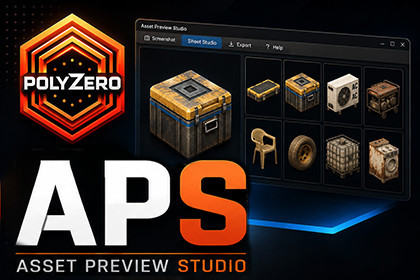
Create high-quality Unity asset screenshots and organized prefab catalog sheets directly inside the Editor.Asset Preview Studio is a Unity Editor tool built for asset creators, environment artists, and publishers who need clean, consistent, high-quality preview images for their prefabs and asset packs.Instead of manually arranging screenshots one by one, the tool lets you capture camera screenshots, import prefab folders, preview assets interactively, clean asset names, validate the setup, and generate organized catalog sheets with multiple prefab previews in a single image.It is especially useful for Unity Asset Store publishers, portfolio presentation, internal asset libraries, production documentation, and environment pack previews.High-quality Editor camera screenshotsAlign or create camera from Scene ViewPrefab catalog sheet generationMulti-sheet export for large prefab librariesInteractive asset previewDrag to rotate, scroll to zoom, Shift + drag for vertical offsetGlobal view settings and per-prefab overridesLayout presets for clean catalog sheetsLighting and background presetsClean labels and modern sheet stylingAutomatic name cleaning toolsValidation/status panelOrganized output foldersSave/load window stateJSON preset supportEditor-only workflowWorks with Built-in, URP, and HDRP projects depending on material/render setupUse CasesUnity Asset Store preview sheetsEnvironment pack catalog imagesProp library overview sheetsInternal asset documentationPortfolio presentationArt team review sheetsThumbnail/contact sheet generationScreenshot capture for marketing imagesWhat Makes It UsefulMany asset packs contain dozens or hundreds of prefabs. Creating preview sheets manually is slow and inconsistent.Polyzero Asset Preview Studio speeds up this process by letting you generate clean, repeatable, organized prefab catalog sheets directly from Unity.It helps creators present assets more professionally and keep large prefab libraries easier to review.Get support with links below:Contact Me | Join our DiscordUnity Editor tool for prefab preview rendering and catalog sheet generationLive interactive asset preview inside the editorGlobal camera framing controls for consistent collection-wide presentationPer-asset override controls for rotation, pitch, zoom, and vertical offsetAdjustable studio lighting with key light, fill light, and ambient/environment contributionSupport for manual lighting override and environment-based ambient setupSheet preview generation directly in-editorMulti-item sheet export with configurable layout, spacing, titles, and labelsIndividual asset render export supportImproved preview rendering clarity for sharper in-editor sheet previewsAuto-refresh support for preview updatesDesigned for props, environment assets, modular sets, and prefab catalogs

