






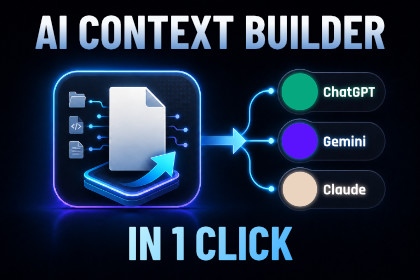
AI Context Builder – Project Exporter for ChatGPT, Claude & Gemini
Stellux Interactive
$15.39
$21.99
30%OFF
(no ratings)
Jump AssetStore
Stop manual copy-pasting. Instantly export your Unity project context into clean Markdown/JSON. Get faster, more accurate coding help from ChatGPT, Claude & Gemini.Works with Unity 2021.3 or newerStop wasting time manually copying and pasting code into ChatGPT or Claude. AI Context Builder maps your entire Unity project architecture, scenes, and prefabs into a token-optimized blueprint in 1 click.Instead of manually explaining your scripts, folders, scenes, prefabs and current task, generate an AI-ready context file and paste it directly into ChatGPT, Claude, Cursor, Gemini or any other assistant.Perfect for debugging, refactoring, architecture reviews, code explanations, onboarding and sharing project context without sending your whole Unity project.Key use cases:• Get more accurate AI coding help• Explain your Unity project structure faster• Export selected script context for focused debugging• Export selected GameObject or scene hierarchy• Generate Markdown, JSON or plain text reportsAI Context Builder does not connect to any external AI service. It simply scans your local Unity project and creates a clean context report that you can use with the AI tool of your choice.Built for Unity developers who use AI heavily and want faster, clearer, more useful answers.Features:• Unity Editor window tool• One-click project context export• Export formats: Markdown, JSON and Plain Text• Assistant profiles: ChatGPT, Claude, Cursor, Gemini and Generic• Export scopes:- Whole Project- Selected Folder- Selected Scene- Selected Object / Prefab- Related To Selected Script- Changed Since Last ExportIncludes:• Project summary• AI brief• Manual AI context• Script summary• Core systems classification• Dependency graph• Script usage map• Architecture warnings• Package list• Build settings• Player settings• Scene / object hierarchy• Asset summary• Optional raw code exportCompatibility:• Unity 2021.3 or newer• Works inside the Unity Editor• No external API key required• No internet connection required• No runtime components• No third-party dependencies• Editor-only toolAI tools were used for rigorous validation and benchmarking of the exported project context. LLM models were employed to test the clarity of Markdown and JSON data, ensuring high accuracy for real-world coding tasks. Feedback from AI helped optimize heuristic logic for maximum token efficiency. While AI assisted with specific code sections, all scripts were manually reviewed and tested in the Unity Editor to guarantee professional stability and full compatibility.

