






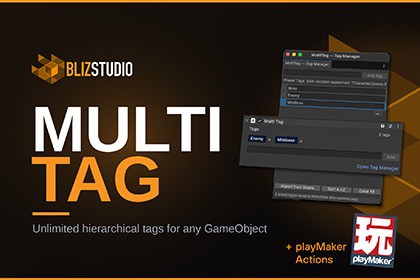
Give any GameObject as many tags as you need. Unreal-style gameplay tags with dot-hierarchy, fast Find-by-tag queries, a Tag Manager, and PlayMaker actions.One tag per GameObject was never enough.An enemy that is also interactable. A pickup that is also a quest item. An NPC in two factions. Unity's built-in tag system gives you exactly one tag from one fixed list, so you end up faking it with layers, booleans, enums, and GetComponent chains scattered across your project.Multi Tag fixes the actual problem. Attach one component, type as many tags as you want, and query them from code or PlayMaker with one line.Find anything in one querycsharpgameObject.AddTag("Character.Enemy.Boss");gameObject.HasTag("Character.Enemy"); // true, hierarchicalList enemies = MultiTagRegistry.FindAllWithTag("Character.Enemy");No FindObjectsOfType. No GetComponent loops. A global registry answers exact queries in O(1) and keeps itself up to date as objects spawn and die. It also resets correctly under Unity 6's Fast Enter Play Mode, so your queries stay clean between play sessions.Gameplay Tags, the Unreal wayTags use dot-notation hierarchy, inspired by Unreal's Gameplay Tag system:Character.Enemy.BossInteractable.DoorPickup.Weapon.SwordQuery "Character" and you get every enemy, boss, and ally under it. Narrow to "Character.Enemy" and allies drop out. Zero comparison logic written by you. If you came from Unreal and miss Gameplay Tags, this is that workflow in Unity.See every tag your scene actually usesThe Tag Manager (Tools > MultiTag > Tag Manager) holds your preset library and now shows live usage counts for every tag in your open scenes: how many objects carry each tag, exact and including child tags, with one click to select them all in the Hierarchy. Spot dead presets, find every "Interactable" in the scene, and pull unsaved in-scene tags into your presets without hunting.A tag UI you can hand to designersTags render as clean chips in the Inspector with one-click removal, live autocomplete from your presets, and full multi-object editing: select fifty objects, see which tags are shared and which are partial, add or remove across the whole selection with Undo.No-code with PlayMaker (optional)Eight ready-made PlayMaker actions: Add Tag, Remove Tag, Has Tag, Get Tags, Find First With Tag, Find All With Tag, Any With Tag, Count With Tag. PlayMaker is not required and not included. The actions compile only when PlayMaker is present.[TagReference] dropdown for your own scriptsPut [TagReference] on any string field and it becomes a tag picker dropdown in the Inspector, with the dot-hierarchy as nested submenus. No custom editor code.csharp[TagReference]public string targetTag = "Character.Enemy";Works with Hierarchy ProMulti Tag is the tag layer of an organized Unity project. Pair it with Hierarchy Pro (rule-based hierarchy styling from BlizStudio) and your tagged objects can color, icon, and badge themselves in the Hierarchy automatically. Tag it once, see it everywhere.What's includedMultiTag component: attach, add tags, doneMultiTagRegistry: fast global queries, exact and hierarchicalTag Manager window with presets, live usage counts, and select-by-tagCustom Inspector with chip UI, autocomplete, and multi-object editingMultiTagExtensions: fluent API on GameObject and Component[TagReference] attribute + PropertyDrawer8 optional PlayMaker actions (PlayMaker not required)Three importable samples and full PDF documentationRequirementsUnity 2022.3 LTS or later. Works with Fast Enter Play Mode.No third-party dependencies. Editor windows and runtime code, nothing renders in your build scenes.Version: 1.3.0Unity: 2022.3 LTS or laterPlatforms: All - pure C#, no platform-specific code (desktop, mobile, console)Render pipelines: Built-in, URP, HDRP (no rendering dependencies)Dependencies: None (PlayMaker custom actions are optional - they compile only when PlayMaker is installed)Language: C# (.NET Standard 2.1)Namespace: BlizStudio.MultiTagPackage ID: com.blizstudio.multitagIncluded files:Runtime: MultiTag.cs, MultiTagRegistry.cs, MultiTagExtensions.cs, TagReferenceAttribute.cs, AssemblyInfo.csEditor: MultiTagEditor.cs, MultiTagSettings.cs, MultiTagSettingsWindow.cs, MultiTagUsage.cs, TagReferenceDrawer.csPlayMaker (optional): 8 custom actions in the PlayMaker/ folder (compile only when PlayMaker is installed)Samples: Basic Usage, Advanced Queries, and a playable Demo SceneDocumentation: BlizStudio_MultiTag_Documentation.pdf (12 pages)Tag Manager shows live per-tag usage counts for your open scenes, with one-click select of every matching object. The runtime registry resets via SubsystemRegistration, so queries stay correct under Fast Enter Play Mode with or without domain reload. Assembly definitions provided for Runtime and Editor.

