






NodeFlow Visual Scripting | Game Creator 2
Fullscreen Studios
$26.94
$38.49
30%OFF
(no ratings)
Jump AssetStore
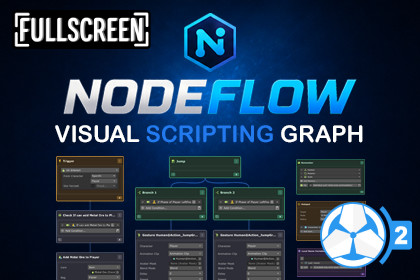
Visualize Game Creator 2 Triggers, Actions, and Conditions in a non-destructive node graph with live debugging and full flow visualization.NodeFlow Visual Scripting - Visual Scripting Graph for Game Creator 2Ever opened a GameObject and found yourself scrolling through a huge list of Triggers, Actions, and Conditions trying to figure out how everything connects together?NodeFlow Visual Scripting lets you visualize your existing Game Creator 2 Triggers, Actions, and Conditions in a node graph while keeping your current workflow intact.NodeFlow doesn't replace your Triggers, Actions, or Conditions with custom components. Everything stays exactly where it is. The graph simply gives you a better way to view, organize, and work with your existing Triggers, Actions and Conditions.You can switch between the node graph and the standard Game Creator Inspector at any time.🎉 Launch Offer - 30% OFF for the next 2 weeks!Grab NodeFlow Visual Scripting at a discounted price before the offer ends.See Everything In One PlaceOpen any GameObject that contains Triggers, Actions, or Conditions and instantly view them in a single graph.If a GameObject contains multiple Triggers, Conditions, or Actions, they'll all appear together, making it much easier to understand how everything is connected.NodeFlow can also display other useful Game Creator components directly in the graph, including:CharactersHotspotsRemember ComponentsLocal Name VariablesLocal List VariablesThis means less jumping between inspectors and more time actually building your game.Smart Object PickerFinding the right GameObject is easy.The built-in Smart Object Picker automatically groups objects by component type and includes a powerful search system.Search by:GameObject nameTrigger type or nameAction nameCondition branch nameWhether you're looking for an object using "On Enable", "On Jump", finding it takes just a few seconds.Follow The Full FlowUnderstanding how different Triggers, Actions, and Conditions interact isn't always easy.NodeFlow visualizes those connections for you.For example, if a Run Conditions instruction references a Condition component that's also in the graph, NodeFlow automatically displays a dotted connection between them.You can even drag a Condition node directly onto a Run Conditions instruction to create the link.No more hunting through inspectors trying to figure out what's connected to what.Live DebuggingDuring Play Mode, NodeFlow highlights nodes as they execute.Watch Triggers fire, Actions run, and Conditions evaluate in real time.It's a great way to understand what's happening under the hood and quickly track down logic issues.Node CullingAs your graphs grow, NodeFlow can cull the content of the nodes that are outside your current view, helping keep large graphs easier to work with and navigate.Non-DestructiveNodeFlow does not replace your existing Game Creator workflow.It doesn't convert your components.It doesn't create a separate system.It doesn't lock your project into a custom workflow.Your Triggers, Actions, and Conditions remain standard Game Creator 2 components.NodeFlow simply provides a visual layer on top, allowing you to work however you prefer.Switch between the graph and the Inspector whenever you want.Additional FeaturesScene Object Drag & DropSticky NotesDuplicate NodesSnap GuidesBranch ViewAutomatic Node Culling📦 What’s Included✔ Full Source Code✔ Quick Start Guide🔗 Links🌐 Website📖 Documentation📚 Setup Guide💬 Discord (New)📅 RoadmapNodeFlow is an independent integration for Game Creator 2. It is not affiliated with or endorsed by Catsoft Studios.Visual node-based graph editor for Game Creator 2 Triggers, Actions, and ConditionsView multiple Triggers, Actions, and Conditions from the same GameObject in a single graphNon-destructive workflow that works alongside the standard Game Creator 2 InspectorSwitch freely between graph view and Inspector viewSmart Object Picker with automatic component groupingSearch GameObjects by name, Trigger type, Action type, or Condition typeFull flow visualization using visual links between related componentsDrag and drop Condition nodes onto Run Conditions instructions to create linksLive debugging with real-time node highlighting during Play ModeDisplay Character components inside the graphDisplay Hotspot components inside the graphDisplay Remember components inside the graphDisplay Local Name Variables inside the graphDisplay Local List Variables inside the graphScene Object drag-and-drop supportSticky Notes for graph organization and documentationDuplicate NodesSnap Guides for node alignmentBranch View supportAutomatic Node Culling for large graphsOptimized for large Game Creator setupsFull Source Code IncludedDocumentation IncludedQuick Start Guide IncludedNo core file modifications requiredRequirementsGame Creator 2Unity 6 or newer

