






Import Suite: Automate Import Settings
itsMakingThings
$8.25
$16.50
50%OFF
(no ratings)
Jump AssetStore
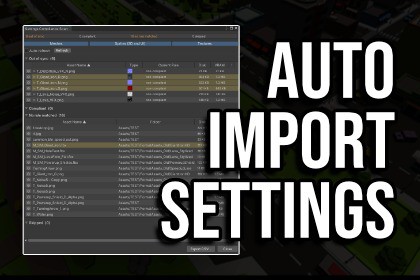
Batch import settings for textures, meshes, audio & sprites - with templates, compliance scanning, renaming, and one-click undo.This is an Editor-only toolImport Suite gives you full control over Unity's asset importers without touching import settings manually.Define reusable import presets that specify exactly how each asset type should be imported; texture compression format, mip maps, normal map type, mesh compression, audio load type, platform overrides, and more, or use one of the included optimized presets.Apply a preset to a folder in one click and Import Suite matches every asset to the right rule automatically.Key features:Apply tab: target a folder or individual asset, filter by asset type, and apply the matched template settings in one operation. A summary bar reports processed / skipped / errors. An Undo button restores the previous .meta state for every modified asset.Apply Preview: see exactly what will happen before committing. Each asset shows its matched rule, outcome, and estimated VRAM cost (before and after) without touching any files. Supports live auto-refresh.Compliance Scan: read-only audit of your current project against the active template. Expands to a field-by-field diff for every out-of-sync asset. Useful for post-upgrade checks and CI review workflows.Rename tab: batch rename assets using up to eight composable operations (add/remove prefix and suffix, text replace, capitalisation formatting, and suffix normalisation). Includes a Preview window with per-asset checkboxes and full Undo.Naming Compliance window: classifies every asset as Correct, Alias Variant, Non-compliant, or Unknown against the active profile's naming rules. Inline per-asset editing without leaving the tool.Profiles tab: create blank templates, copy and customise the built-in defaults, or import from existing Unity .preset assets. Export templates as JSON to share across projects or team members.Auto-Apply on Import: optionally run a template automatically on every imported asset, with folder-specific overrides and a GUID-based exclusion list for third-party assets.9 built-in templates covering URP, HDRP, and Built-in RP at High / General / Low quality tiers, with per-platform overrides for Desktop (BC7), Mobile (ASTC 4×4–8×8), and WebGL (ETC2) baked into each template.Team-friendly project settings: shared configuration (Auto-Apply policy, template paths, folder rules, file size warning thresholds) is stored in a single ScriptableObject asset you commit to version control. New team members get the correct setup automatically on first open.Import Suite modifies only .meta file importer settings: it never touches asset content or transmits data outside your project.Import Suite is an editor-only tool - it contains no runtime code and has zero impact on build size or runtime performance.Unity Version: Compatible with Unity 2022.3 LTS and Unity 6+.Render Pipelines: Supports URP, HDRP, and Built-in RP. Ready-to-use default templates are provided for all three pipelines.Supported Asset Types: Textures, Sprites, Meshes / Models, and Audio Clips.Importers: Wraps Unity's TextureImporter, ModelImporter, and AudioImporter.Texture Compression: BC4, BC5, and BC7 for Desktop; ASTC 4×4, 6×6, and 8×8 for iOS and Android; ETC2 for WebGL. Platform overrides for Standalone, Android, iOS, and WebGL are configurable per rule within a single template.Templates: Stored as ScriptableObject assets in your project. Templates can be exported and imported as JSON for sharing across projects or team members.Settings: Project-wide configuration (Auto-Apply policy, template paths, folder rules, file size thresholds) is stored in a single ScriptableObject asset designed to be committed to version control. Per-user preferences (UI state, last-used fields) are stored in EditorPrefs and never committed.Undo: Manual Apply and Rename operations support single-level undo per tab, stored locally in Library/ImportSuiteHistory/ (up to 10 entries retained).Coding support and documentation

