






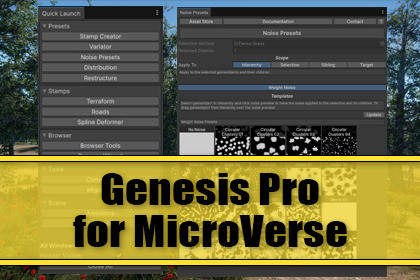
Genesis Pro is the all-in-one editor toolkit that supercharges your MicroVerse
workflow. Extend the Content Browser and create custom stamps and entire worlds for your scenes in seconds.Build MicroVerse worlds fasterMicroVerse gives you a powerful non-destructive terrain workflow. Genesis Pro builds on top of it with proven editor tools that allow you to spend your time designing your worlds.Everything Genesis Pro creates is standard MicroVerse data. Your workflow stays non-destructive.The Genesis Pro ToolsA Quick Launch window puts every tool one click away, conveniently organized by purpose:PresetsStamp Creator - turn project content into reusable Texture, Tree, Detail, and Object stamps, standardized with provided templates and with your own customized templatesVariator - quickly adjust hierarchies of stamps by re-rolling seeds and noise offset across biomesNoise Presets - a drag-and-drop library of noise definitions you can apply to an selection. Can be extended and customized to your requirementsDistribution - control how content spreads across the terrain, with powerful filters. The terrain layer picker is especially convenient and allows you to assign e. g. grass to grass textures by convenient click-selection on the terrainRestructure - automate hierarchy clean-up, grounds, bounds, and stamp setup. Select stamps and create entire biomes with a single clickStampsTerraform - shape terrain with height stamps, falloff control, and spline paths.Roads - author complete road networks: roads, intersections, auto-connection, and a grid designer. Requires MicroVerse RoadsSpline Deformer - Conveniently randomize existing spline areas and create new shapes for your biomesBrowserAsset Gallery - a standalone browser window for visually exploring the prefabs and terrain layers in your projectBrowser Tools - batch operations, auto-placement, preset conversion, thumbnail capture, a thumbnail framing guide, and validation for the Content Browser.Browser Wizard - automatically place biomes straight from the Content Browser with shape control and create entire worlds within secondsToolsConverter - convert heightmap images and terrain prototypes into MicroVerse stamps and collections. It can also be used to convert height stampsMigration - clone content collections and remap GUIDs when switching render pipelines (e.g. Built-in → URP)SceneVisual Ambience - assign URP post-processing and quickly set Time-of-Day via lighting adjustmentsGameplay - drop in a third-person player and a CineMachine 3 camera to test-drive your world instantlyGenesis vs Genesis ProGenesis Pro contains most of the functionality of Genesis. However, the core of it got a significant changed. The workflow in Genesis is top-down: You configure your world settings and have it created. The workflow in Genesis Pro is bottom-up: Stamps and entire biomes can be created quickly while you navigate through the objects in your asset.In other words: Genesis Pro is focused on quick stamp and biome creation for convenient re-use. The difference is in the workflow.Pro means ProGenesis Pro is aimed at professional users of MicroVerse. The use of the MicroVerse Core Collection is a strict requirement. Vegetation, Objects and Spline modules must be installed, there are no scripting define symbols. If you're serious about world creation, you have these installed.Why creators choose Genesis ProLess busywork - Batch operations, auto-placement, and one-click setup replace hours of manual edits by boosting the power of MicroVerseConsistency - Templates and validation keep large content libraries clean and uniformFlexibility - Mix and match tools to fit your pipeline; everything stays standard MicroVerse dataFuture-proof - A modular architecture and a single tool registry make the toolset easy to grow withFeature ListDockable editor tools, accessible from a single Quick Launch toolStamp Creator with Texture, Tree, Detail, and Object stamp types + templatesVariator for instant biome variation via seed and noise-offset changesNoise Presets library with drag-and-drop applicationDistribution with placement filtersRestructure automation for grounds, bounds, and stamp hierarchiesTerraform: height stamps, falloff overrides, spline-path terrain shapingRoad tools: roads, intersections, auto-connector, grid designerSpline Deformer: deformers for spline area modificationFull Content Browser toolset: batch, placement, preset conversion, screenshots, thumbnail guide, validationBrowser Wizard: biome placement with shape controlConverter: heightmap to height-stamp collectionsMigration: content cloning and render-pipeline GUID remappingVisual Ambience: post-processing and Time of Day presetsGameplay: third-person player and CineMachine 3 cameraNon-destructive MicroVerse outputFull Unity 6 supportBuilt for Unity 6The core functionality of Genesis Pro is built for Unity 6 (6000.0+). Unity is about to change considerably, especially URP will remain as the only render pipeline. While Genesis Pro is render pipeline agnostic some features like Visual Ambience post processing presets are created for URP only.Visual Ambience for BiRP will remain in Genesis. It is worth noting that Genesis keeps on working in Unity 2022.3 and lower, however it's not possible anymore to upload assets below 2022.3, that has become a hard constraint by the Unity Asset Store.PricingI've been updating and adding features to Genesis for 4 years for free now, without additional charge. But I just can't update for free forever. However, I kept the upgrade price to Genesis Pro rather minimal as a "Thank you!" to all my supporters.Upgrade PathThere is an upgrade path from Genesis to Genesis Pro. Genesis is included e. g. in World Building Bundle for MicroVerse. It may be cheaper to get World Building Bundle for MicroVerse when it's e. g. on sale and then upgrade to Genesis Pro. Currently I have no intention to put Genesis Pro into World Building Bundle for MicroVerse. It would mean I'd have to increase the price. Genesis works just fine the way it is.Recommended Companion Assets - FREEStampIT! Collection - FREE Heightmaps for Unity 6, MicroVerse, Gaia TerrainTerrain Textures - FREEFullscreen Editor Play Mode - FREESceneNav - Smooth & Fast Scene Navigation - FREEQuickNav - History's Favorites - FREEShowcase Videos and ScreenshotsThe videos and screenshots are example scenes that were created during the development of Genesis Pro for MicroVerse. The assets of those scenes aren't included. In case you are interested please read the description of the youtube videos to see which assets were used.The background in the Asset Store images was created with Meadow Environment from NatureManufacture.DisclaimerGenesis is an extension asset. As supported assets evolve and as Unity evolves, changes might be required, features added or removed, mostly depending on compatibility.ImportantIf it's about having features in my asset or more convenience & flexibility when it's directly in the MicroVerse Content Browser, I go for what's best for you guys. Jason Booth allowed me to move some of the tools I created for Genesis and Genesis Pro directly into the MicroVerse Content Browser. Like auto-prefab-creation when you drag a prefab from the hierarchy into the browser, thumbnail creation, painting of roads and shapes. By purchasing Genesis and Genesis Pro for MicroVerse you support me for my work. Thank you very much!ArchitectureEditor extensionClean assembly definitionsModular Module / Controller / EditorWindow / Settings architectureFeature detection via scripting defines - no manual configurationSettings and generated data stored under 'Assets/Rowlan/Genesis Pro Data'RequirementsUnity 6000.0 or newerMicroVerse: required - Genesis Pro is an extension, not a standalone toolEditor Coroutines package (installed automatically)Optional: MicroVerse Splines and Roads modules unlock additional tools

