






SoundCraft AI - Sound Effects Generator + Library
Ragendom
$19.24
$38.49
50%OFF
(no ratings)
Jump AssetStore
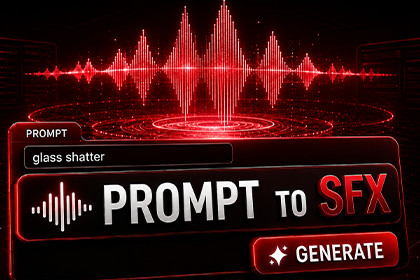
AI-generated game sound effects from text prompts inside Unity. Type a description, get a game-ready clip; auto-sorted into your project. No sign-up, no API keys, no subscription fees.No sign-up. No API keys. No subscription fees. No per-generation fees. No leaving Unity. Just one-click sound effects from text prompts.This asset generates audio using three AI sound engines - ElevenLabs Sound Effects, MMAudio V2, and CassetteAI. Its Editor tooling was developed with assistance from Anthropic's Claude.Type the sound you need. Click Generate. In seconds, a game-ready clip is downloaded, automatically sorted into the right category folder, imported with the correct AudioImporter settings, and highlighted in your Project window - ready to drop onto any AudioSource.Online Showcase Demo | Online Documentation💡 WHY SOUNDCRAFT AI✅ NO SUBSCRIPTION — Buy once, generate every month. No recurring fees, no per-generation costs, nothing extra to buy.✅ AUTO-CATEGORISED OUTPUT — Every clip is sorted automatically into UI, Weapons, Footsteps, Ambience, Creatures, Impacts, Music or Other. You never manage folders.✅ ONE-CLICK VARIATIONS — Generate up to 8 distinct takes of the same sound in a single click. Get the variety games actually need for footsteps, impacts, and gunfire.✅ THREE SOUND ENGINES — ElevenLabs for premium quality, MMAudio for ultra-budget batch work, and CassetteAI for the fastest turnaround. Pick the right tool for the job.✅ BUILT-IN SOUND LIBRARY — A Mixamo-style browser for every clip you generate. Search, tag, favourite, preview waveforms, and drop sounds into your scene — all from one window.✅ GAME-READY IMPORT — Every clip lands with AudioImporter settings tuned for its category, and can emit a ready-to-drop AudioSource prefab pre-configured for 2D/3D playback. Zero manual setup.✅ STYLE PRESETS — Retro 8-bit, Realistic, Cartoon, Horror, Sci-Fi, and Fantasy. One toggle keeps a project's whole sound palette consistent.✅ ZERO RUNTIME OVERHEAD — All scripts are Editor-only. Your build size and runtime performance are completely unaffected.✅ INSTANT ACTIVATION — Enter your Asset Store invoice number, click Verify, and start generating. No website signup, no account creation.🎁 INCLUDED MONTHLY ALLOWANCE🎫 250 generations are issued every month with your purchase. That is enough for a full project's sound palette — UI, footsteps, weapons, ambience, creatures, impacts, and music cues.🔄 The allowance is issued every month for as long as you own the asset. Each variation produced counts as one generation; cached prompts return instantly without using your allowance.🔊 WHAT YOU CAN GENERATEUI — Clicks, hovers, confirms, errors, pickups, level-up chimesWeapons — Sword swings, gunshots, reloads, bow releases, blade clashesFootsteps — On grass, gravel, wood, stone, snow, metalAmbience — Wind, rain, forests, caves, oceans, room tone, crowdsCreatures — Growls, roars, screeches, wing flaps, monster breathingImpacts — Punches, crashes, explosions, glass and wood breakingMusic cues — Short jingles, stingers, fanfares, victory and game-over cuesAnd much more — Any sound effect you can describe!🚀 HOW IT WORKSEnter your Asset Store invoice number (from your purchase confirmation email) and click Verify.Type your prompt, e.g., "heavy iron sword hitting plate armor."Optionally pick a sound engine, style preset, duration, and how many variations you want.Click GENERATE.The cloud AI generates your sound effect(s) and returns the clip(s).Each clip is downloaded to Assets/SoundCraftAI/Generated/, sorted into its category folder, imported with the correct AudioImporter settings, and highlighted in the Project window.Drop the clip onto any AudioSource — or, if you enabled it, drag the ready-made AudioSource prefab straight into your scene.📚 THE SOUND LIBRARYBrowse, organise, and reuse everything you generate from one Mixamo-style window (Window → SoundCraft AI → Library):✅ THREE-PANE BROWSER — A category sidebar, a searchable card grid with live waveform thumbnails, and a preview pane. Your whole sound palette at a glance, however many hundreds of clips you make.✅ SEARCH, SORT & TAG — Find any clip by name or your own custom tags. Sort by name, duration, or most recently added, and star the sounds you reach for most.✅ PREVIEW & PLAY — See each clip's waveform and audition it instantly in the Editor — no Play mode required.✅ ONE-CLICK ADD TO SCENE — Drop a sound straight into your scene as an AudioSource that's already tuned for its category (2D/3D, looping, rolloff, distances).✅ MANAGE IN PLACE — Rename, duplicate, re-categorise (a real folder move), and delete clips without ever leaving Unity. Tags and favourites are saved per-project and never touch your assets.⚠️ WHAT'S INCLUDED VS NOT INCLUDEDSoundCraft AI generates sound effects for any game project. Specifically what's covered:✅ One-shot SFX — UI, weapons, footsteps, impacts, creatures✅ Looping ambience and short music cues✅ Sound Library browser — search, tag, preview, and manage every generated clip✅ Mono and stereo output✅ Automatic categorisation, one-click variations, and per-category import settingsNot included (be aware before buying):❌ Voice, dialogue, or speech generation — SoundCraft AI is for sound effects❌ Full-length music tracks — the Music category covers short cues and stingers, not complete songs❌ A fixed pre-made sound library — SoundCraft AI generates on demand rather than shipping a static pack❌ Offline generation — an internet connection is required to generate; generated clips then work fully offline foreverIf your project needs full musical scores or character voice-over, plan to source those separately.📧 SUPPORT & QUESTIONSFor questions, bug reports, or feature requests, reach out at: ragendom@gmail.comWe typically respond within 24 hours.250 AI-generated sound effects issued every month with purchase — no per-generation fees, no recurring costs.Three AI sound engines — ElevenLabs Sound Effects (premium quality), MMAudio V2 (ultra-budget), CassetteAI (fastest turnaround).Text-to-SFX generation from plain prompts, with optional negative prompts.One-click variations — generate up to 8 distinct takes of a prompt at once.Automatic categorisation — every clip sorted into UI, Weapons, Footsteps, Ambience, Creatures, Impacts, Music or Other.Per-category AudioImporter settings applied automatically — load type, compression, force-to-mono.Optional AudioSource prefab generation — pre-tuned 2D/3D spatial blend, rolloff, and looping per category.Style presets — Retro 8-bit, Realistic, Cartoon, Horror, Sci-Fi, Fantasy — prepended to your prompt for a consistent sound palette.Adjustable clip duration (0.5–30 seconds).Embedded audio preview — play any generated clip directly inside the editor window.Generation history — your last 20 generations, with play, regenerate, locate, and delete per entry.Output delivered as standard Unity AudioClips (WAV / MP3), ready for any AudioSource.Prompt caching — identical prompts return cached results instantly without using your monthly allowance.Auto-retry on transient backend errors.Welcome popup on first open with a getting-started guide.All generated files saved to Assets/SoundCraftAI/Generated// with unique names.Instant activation via your Asset Store invoice number — no account, no API keys.No third-party package dependencies — uses only built-in Unity APIs (UnityWebRequest, EditorWindow, AudioImporter, AssetDatabase).Editor-only — all scripts in an Editor/ assembly, stripped from builds automatically, zero runtime overhead.Supports Built-in RP, URP, and HDRP — Requires Unity 2021.3 LTS or newer (including Unity 6).Requires an internet connection for generation; previously-generated clips work fully offline.Anthropic's Claude was used during development to help write, refactor, and debug the package's C# editor scripts. All generated code was reviewed before release.

