






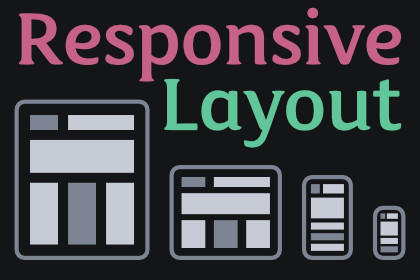
Safe area, breakpoints, orientation, aspect ratio, and platform-aware styling for Unity UI Toolkit. One drop-in component, five demo scenes, zero hard dependencies.Unity's UI Toolkit ships with Flexbox but no breakpoint system, no safe area handling, no orientation classes, and no platform-aware styling. Developers ship layouts that overlap iPhone notches, snap awkwardly at every screen size, and require manual Screen.safeArea coordinate inversion code in every project.This asset is the missing layer. Drop a single ResponsiveManager component on your UIDocument and your panel gains automatic USS class application for breakpoints, orientation, platform, and notch presence — plus a SafeAreaContainer custom element you can drop anywhere you need content inset from the notch and home indicator.Works on every screen.SafeAreaContainer wraps any subtree and applies the correct padding for the current device's notch, home indicator, and camera cutouts. Per-edge masking lets you opt into individual edges (top-only, horizontal-only, etc.). A minimum-padding fallback keeps non-notched devices comfortable. Nested SafeAreaContainers detect each other and avoid double-padding. Works correctly under any PanelSettings scale mode — Constant Pixel Size, Scale With Screen Size, or Constant Physical Size — with automatic panel-to-screen scale correction.Breakpoints that actually adapt.Drop in the default BreakpointProfile (phone-portrait, phone-landscape, tablet, desktop) or define your own. The ResponsiveManager applies a USS class to the document root on every breakpoint change so your stylesheets just work. Write code-level reactions with WhenBreakpoint("desktop", active => …) returning IDisposable handles, or mark methods with the [ResponsiveCallback] attribute and have them auto-invoked. Swap entire UXML templates per breakpoint via BreakpointTemplateSwapper with a re-binding event for any data already wired up.Five demo scenes included.Safe Area (visualize notch padding and cycle edge configurations), Breakpoint (three-column adaptive layout that morphs from single column on phone to sidebar + main + secondary on desktop), Orientation (portrait/landscape reflow), Aspect Ratio (16:9 / 4:3 / 1:1 / 9:16 cycling against all four fit modes), and Platform Styles (touch vs pointer button sizing). Each demo ships with UXML, USS, controller script, and a README explaining what it shows.Aspect ratio and platform detection.AspectRatioContainer keeps video players, image previews, and any fixed-ratio content correctly framed regardless of container size — four fit modes (Contain, Cover, WidthBased, HeightBased) cover every real use case. PlatformDetector applies thirteen USS classes for OS, device category, touch capability, and notch presence so you can branch styling on .platform-ios, .has-touch, .has-notch, and more — all from your stylesheet, no C# branches.Works with UI Toolkit: Tween Engine.When you own UI Toolkit: Tween Engine, open Tools > KrookedLilly > Setup and enable the Tween Engine → Responsive Layout integration. Two extensions light up. Smoothly interpolate an AspectRatioContainer between ratios instead of snapping — useful for hero panels that morph between 1:1 on phone and 16:9 on tablet:hero.TweenAspectRatio(16f / 9f, duration: 0.3f);And fade the new template into a BreakpointTemplateSwapper on each breakpoint change so layout swaps feel less abrupt:swapper.AddFadeInAnimation();Both fall back to instant transitions when the integration is off.Full C# source, no DLLs.XML documentation on every public API. Works with both Unity's Legacy Input Manager and the new Input System package. Zero hard dependencies.Safe AreaSafeAreaContainer custom VisualElement with UXML supportPer-edge masking: All, Top, Right, Bottom, Left, Horizontal, Vertical, NoneMinimum-padding fallback for non-notched devicesNested-container no-op detection prevents double-paddingAutomatic panel-to-screen scale correction under any PanelSettings scale modePeriodic refresh catches multitasking resize, foldable unfold, iPad Split View, and rotationSafeAreaCalculator static utility for direct insets math (bottom-left to top-left coordinate inversion)BreakpointsBreakpointProfile ScriptableObject with default phone-portrait / phone-landscape / tablet / desktop presetsExplicit Priority field for deterministic resolution of overlapping rangesOptional orientation constraints per breakpointBreakpointTemplateSwapper component for per-breakpoint UXML template swaps with TemplateChanged eventWhenBreakpoint(name, Action) returns IDisposable for safe per-breakpoint subscriptions[ResponsiveCallback("name")] attribute + ResponsiveCallbacks.Register reflection helper, IL2CPP-safeOrientationPortrait / Landscape detection from current screen dimensions.orientation-portrait and .orientation-landscape USS classes auto-applied to rootSquare-aspect tie-break favors Landscape to prevent jitter at exactly 1:1Aspect RatioAspectRatioContainer custom VisualElement with UXML supportFour fit modes: Contain (letterbox), Cover (crop-to-fill), WidthBased, HeightBasedGeometry-event driven — recalculates only on layout changePlatform DetectionThirteen USS classes covering OS, device category, touch capability, and notch presence.platform-ios, .platform-android, .platform-windows, .platform-macos, .platform-linux, .platform-webgl, .platform-mobile, .platform-desktop, .platform-editor, .has-touch, .no-touch, .has-notchNotch detection inferred from Screen.safeArea — works even on devices with no first-class APIUtilitiesResponsiveValue with .Bind(manager, onChanged) for declarative per-breakpoint valuesResponsiveSpacing scale (Xs, Sm, Md, Lg, Xl) tuned per breakpoint categoryShowOnBreakpoint / HideOnBreakpoint extension methods with IDisposable handlesEditorCustom ResponsiveManager inspector with embedded UIDocument foldout and live runtime state panelHideFlags three-layer pattern prevents Unity's known MissingReferenceException on play-mode exitWorks cleanly across domain reloads and play-mode transitionsIncluded demosSafeAreaDemo — full-screen unsafe-zone overlay with cycle button for edge configurationsBreakpointDemo — three-column adaptive layout from single column on phone to sidebar + main + secondary on desktopOrientationDemo — content reflows from single-column stack in portrait to side-by-side row in landscapeAspectRatioDemo — 16:9 / 4:3 / 1:1 / 9:16 ratio cycling against all four fit modesPlatformStylesDemo — touch vs pointer button sizing demonstrates .has-touch and .platform-mobile class applicationCompatibilityUnity 6+ (6000.0 and newer)UI Toolkit (com.unity.modules.uielements)Full C# source, no DLLsXML documentation on all public APIsZero external dependenciesAI (Claude Code) was used as a development assistant throughout the package creation process. This includes code generation, architecture design, writing unit tests, documentation authoring, and debugging. All AI-generated code was reviewed, tested, and validated by the developer. The final package is 100% human-supervised C# source code with no AI runtime components.

