






Color Pixel Crush | Puzzle Template + Level Editors
Ragendom
$27.49
$54.99
50%OFF
(no ratings)
Jump AssetStore
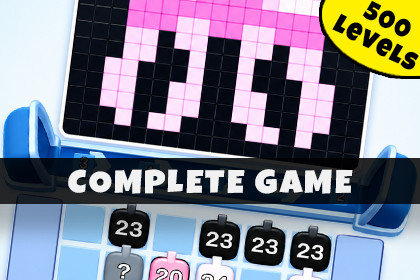
Color Pixel Crush is a Unity template for tap-to-shoot, color-matching puzzles where players fire cannons to paint pixel art. It features 500 levels, a level editor, and a level generator.Color Pixel Crush is a complete Unity game template for building and customizing tap-to-shoot color-matching puzzle games. Developed with the HyperCasual Game Engine, this asset provides the core systems, architecture, and tools needed to ship a unique, mobile-ready pixel-art puzzle experience.Players tap color-coded cannons to send them down a conveyor, where they fire matching colored bullets that fill a target picture cell by cell. With pathfinding-based clickability, wall obstacles, mystery cannons, and a satisfying picture-reveal payoff, this template delivers a polished hyper-casual loop inspired by popular color-match mobile puzzles.The template ships with 500 ready-made levels, three boosters, a fully featured visual level editor, and an image-to-level pipeline that turns any sprite or texture into a playable level via K-means color quantization. Every system is modular, data-driven (JSON), and designed as a foundation for rapid extension and production-ready development.Try First: Browser Demo | Android Demo🚀 OUR ADVANTAGESDeveloper-oriented architecture with a focus on clean, extendable code.Clear online documentation with step-by-step guides.Built-in visual level editor and automatic batch level generation.Image-to-level pipeline: turn any image into a playable, solvable level.Easy visual, color, and gameplay customization via URP and JSON-driven data.Clean, modular codebase with namespace isolation (ColorPixelCrush.Scripts / HypercasualGameEngine).📦 TEMPLATE INCLUDES🎯 Tap-to-Shoot Color GameplayTap-to-Fire Cannon Mechanic: Tap a colored cannon to dock it on the conveyor and fire its ammo at matching pixels in the picture.Pathfinding Clickability (FLS): Only cannons with a clear exit path are tappable — clickable cannons are outlined, blocked ones are desaturated.Pixel-Art Picture Fill: Bullets fill the target picture cell-by-cell with pop effects and a star-burst on completion.Wall Obstacles: Merged, curved, two-tone wall meshes block cannon paths and add strategic routing.Mystery Cannons: Locked, hidden-color cannons ("?") that reveal once an adjacent cannon clears.Per-Color Solvability Invariant: Every level guarantees enough ammo per color to complete the picture.🏗️ Level Editor & Content PipelineVisual Two-Pane Level Editor: Paint fill cells, cannons, and walls without entering Play mode.Image-to-Level Quantizer: Drag in any sprite/texture to auto-build a level via K-means++ quantization and a per-level palette.Auto Level Generator: Batch-generate hundreds of levels (Procedural + Image modes) with configurable grid size, color count, and ramping walls/mystery cannons.Live Completability Validation: The editor checks per-color ammo vs. demand and offers a one-click "Randomize Shooters" fix.JSON Level Format: Human-readable level files that are easy to manage, version, and extend.🎮 Boosters & Gameplay SystemsThree Built-in Boosters: Block Shuffle (re-permutes the picture blocks' colors), Magic Select (pick and pull any blocked cannon), and Cannon Shuffle (reseats all cannons with a fly-in animation).First-Use Tutorial Popups: Automated prompts that explain each booster to new players.Unlock System: Level-gated booster availability (e.g., Magic Select at Level 2, Cannon Shuffle at Level 3).Smooth Visual Feedback: Color-fade clickability transitions and animated position switches.🎨 Customization & Visual Tools10 Built-in Colors: Easily expandable via enum + ColorData mapping, plus per-level RGB palettes for image levels.Universal Render Pipeline (URP): Fully URP-based, with a shared post-processing volume.Custom Outline Shader: Position-based inverted-hull outline (WebGL / IL2CPP safe) for clickable highlighting.Modular UI System: HUD panels, Win/Lose screens, and booster-use badges.🧪 Developer & Debug ToolsIn-Game Dev Settings Panel: Quick-access menu for level navigation, win/lose triggers, and unlock-all/refill boosters.Global Hotkeys: Instant level skipping and booster unlocking during testing.Clean Codebase: Singleton SoundManager and static LevelManager for reliable scene orchestration.🚫 Ads Are NOT Included💿 Supported Platforms: iOS · Android · WebGL · Desktop📄 DocumentationOnline Documentation Includes step-by-step guides for:Setting up the game scene and running your first level.Designing levels with the visual editor.Turning images into levels with the quantizer.Using the Auto Level Generator to batch-create content.Adding new colors and custom picture sprites.Extending the template for your own color-match mechanics.📬 SupportQuestions or help? Get in touch:📧 Email: ragendom@gmail.comClaude Code was used to create C# scripts.

