






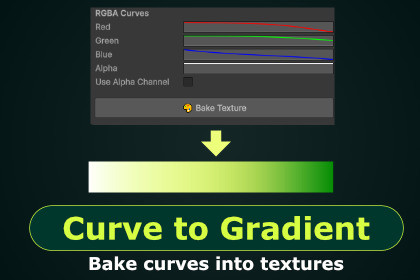
Bake curves into textures to easily sample them in shaders.
Create Gradient Maps, Curve Assets and pack them into texture atlas.Curve To Gradient is a free tool that enables you to convert curve data into gradients for its easy interpretation in a shader. This way you can easily run curve animations or gradient map operations in your shaders.It was made to be simple and intuitive in the form of a Scriptable Object of which you can create as many variants as you want and still have these curves editable. This tool performs everything in the editor and won’t affect your runtime performance and can be used to keep shaders cheap and without troublesome math based animations.Make curve textures that can be easily sampled in a shader to drive the animations or masking.Perfect for creating Gradient Maps.Combine them into a Texture Atlas and swap between them in a shader.Bake them into a texture or use live version embedded in scriptable object to keep them editable.Check Technical Details for the list of features.Features:Create Curve Assets (Scriptable Objects)Choose what type of curve asset to make:Grayscale - single curveColor - 4 separate curves (alpha optional)Gradient - just bake gradient into a textureBake curve assets into textures or use them as scriptable objectto keep them editable.Combine Curve Assets into an Atlas and bake it into a texture or keep Atlas as scriptable object to keep it editable.Atlas scriptable object have embedded textures so you can edit everything and use textures without baking into a file.Everything have live previews.Baked gradients are .png 1x256 8bit per channel and atlases store multiple gradients. (For example 5x256)

