






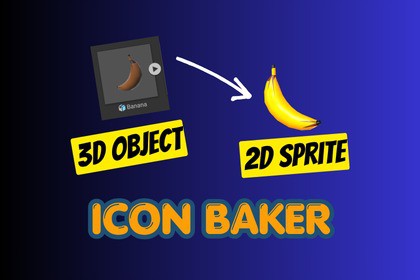
Icon Baker turns any 3D prefab into a clean 2D sprite icon without ever leaving the Unity Editor. Skip the screenshot-crop-import grind and ship your icons in minutes.Icon Baker is a Unity Editor tool that bakes 3D prefabs into 2D sprite icons. The package is fully self-contained: a single editor window (Tools → Icon Baker), five built-in lighting style presets, a demo scene, and full source code. You bring your own prefabs and the tool produces sprites from them; there are no scenes, prefabs, or art assets you're forced to ship with your project.Every visual aspect is customizable: camera angle, zoom, light direction and color, ambient, temperature, post-processing (brightness, contrast, saturation, bloom - URP), shadows, outlines (border + highlight), drop shadow, and background (transparent, solid color, or your own sprite). Settings can be saved as named user presets and reapplied to any other prefab. Output resolution, folder, filename suffix, and overwrite behavior are all configurable, too.Because the tool produces icons from whatever prefab you feed it, it's genre-agnostic - equally at home generating RPG inventory items, RTS unit portraits, card-game art, mobile shop displays, ability bars, crafting recipes, or anywhere else your UI benefits from consistent, art-directed icons of 3D assets.Preview & camera- Interactive WYSIWYG preview that renders at the chosen capture resolution- Orbit, pan, and zoom directly in the preview (mouse drag and scroll) - Sliders for X/Y/Z rotation, zoom, and horizontal/vertical offsetLighting- 5-light rig (key + back fill + side fills + bottom fill) with intensity ratios that scale together- Disc-based key light placement that always stays on the camera-facing hemisphere- Custom light color, ambient intensity, and warm/cool temperature- 5 built-in style presets (Studio, Cinematic, Toon, Dramatic, Soft) - one click writes to all sliders- Real-time 3D object shadow toggle with strength controlVisual effects- URP post-processing: brightness (post-exposure), contrast, saturation, bloom- Border and highlight outlines with configurable color and 1–8 px width- 2D drop shadow with offset, Gaussian blur, opacity, and tint — independent of the 3D scene- Three background modes: transparent (alpha preserved), solid color, or any sprite (UV-scaled)Output- Resolutions: 128, 256, 512, or 1024 px (always square)- Configurable output folder anywhere under Assets/- Custom filename suffix with auto-sanitized invalid characters- Overwrite toggle with auto-incrementing fallback (_1, _2, ...)- Captured PNGs are auto-imported as Sprite (Single mode), alpha-is-transparency on, uncompressed, no mipmaps, no NPOT scalingWorkflow- Save and load named user presets as JSON (lighting, effects, output settings)- Reset Transform and Reset Filters buttons for quick recovery- Live "Saves as" filename preview before each captureTechnical- Two-pass render compositor (post-processed color + post-processing-disabled alpha) to preserve transparencywhile still applying URP effects- Editor-only assembly (IconBaker.Editor), no runtime footprint, no external dependencies- URP required for post-processing; works without it for lighting, outlines, drop shadow, and backgrounds- Compatible with Unity 2021.3 and newer (tested through Unity 6)

