






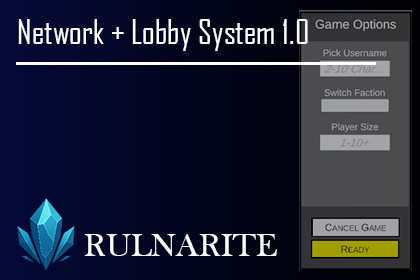
Ready-to-use Multiplayer Lobby System built
with Photon Fusion 2. Save weeks of setup time
with a clean, customizable networking foundation. Set Max Player Size, Switch Sides, and more.Requires the free Photon Fusion 2 package from the Asset Store and a Photonaccount. Import Fusion first.A clean, ready-to-use Multiplayer Lobby System built with Photon Fusion 2 for Unity 6.Stop spending weeks building multiplayer infrastructure. Drop this into your project and focus on your game!WHAT'S INCLUDEDA Host/Client Mode Networking System made with Photon FusionCustomizable lobby size (1-16 players)Red vs Blue faction switchingCoop and PvP ready (1v1, 4v4, 8v8, adjust as you wish)Synced player prefab with username displayJoin code system for instant session sharingTwo demo scenes includedFull setup documentationBEST FOR Developers building any multiplayer game requiring a PvP/Co-op-based and join code-based lobby structure.Network Setup + Simple Lobby System 1.1=======================================IMPORTANT - READ FIRST:- You need to Download Photon Fusion Package from Unity Asset Store Yourself. Expect Errors if you import my package before you import Photon's Own Package. The Errors should disappear once you import Photon Fusion's own Package.- If you Do not have Demo Scenes in the Build Settings, it will not run unless you copy logic to your own scenes.- You need to have a photon fusion account and created an app (explained below) on the website, then copy your app id to paste on Fusion Hub in Unity- If you upgrade Photon Fusion from 2.0.x to 2.1, delete the loose .cs files left directly in Assets/Photon/Fusion/Runtime/Statistics/. Fusion 2.1 moved them into a Scripts/ subfolder and the importer does not remove the old copies.REQUIREMENTS- Unity 6000.3.8f1- Photon Fusion 2.1.1DEPENDENCIES- Photon Fusion package (available on Unity Asset Store)- Active Photon account with a Fusion App IDSETUP (Skip to 4 if you have photon fusion setup already)1. Create a Photon account at photonengine.com if you don't have one2. Create a new app, select Multiplayer Game, SDK Version: Fusion 23. Download Photon Fusion 2 from the Unity Asset Store4. Copy your App ID from the Photon Dashboard5. Import the package into your Unity project Assets folder6. Paste your App ID into the Fusion settings inside Unity7. Add both demo scenes to Build Settings, MainMenu first (File > Build Settings > Add Open Scenes)8. Press Play on the MainMenu scene to testSCENES INCLUDED:1. MainMenu2. GameplayKNOWN LIMITATIONS- Requires active internet connection- The game starts only when the lobby is exactly full.- Tested on Unity 6000.3.8f1 only- Player Connection is Done Via a Generated Join Code- Player Prefab is for Demo. Movement and Mechanics not Included except Player Username and Player Object Syncing- If you are using Unity 3D, you may need to add your NetworkAnimator, NetworkRigidbody, etc. and replace the placeholder sprite with your models.FEATURES- Customizable lobby player size (1-16 players)- Faction system, players switch between Red and Blue teams (faction names are customizable)- Supports Coop and PvP formats (1v1, 4v4, 8v8, etc.)- Player prefab with synced username tag and transform- Join code system for easy session sharing- Host and client architecture includedSCRIPTS NetworkManager Photon session: start host/client, teardown, callbacks LobbyUI Main menu display and input fields PlayerSpawner Player spawning, lives in the Gameplay scene LobbyState Networked readiness, factions and names BasicPlayer Demo character with synced name tag and faction colourSUPPORTmindentertainmentco@gmail.comAI tools (GitHub Copilot) were used to assist in refactoring, cleaning, and documenting code during development. All logic, architecture, and systems were human-designed and manually reviewed.

