






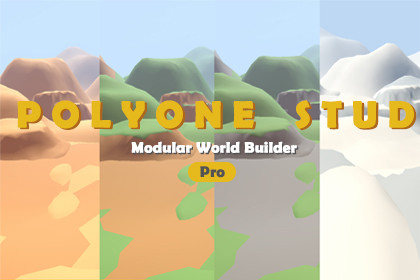
POLYONE – Modular World Builder (Pro) is a professional Unity Editor tool for fast, manual‑first modular world building with advanced workflows and production‑ready tools.Hello from PolyOne Studio!POLYONE – Modular World Builder (Pro) is a Unity Editor tool created to streamline manual modular world building for production‑scale projects.While maintaining the same manual‑first philosophy as the Lite version, the Pro edition expands the workflow with advanced placement tools, controlled randomization, and multi‑prefab collection support, allowing environment artists and level designers to build larger and more complex scenes efficiently.Instead of relying on heavy procedural systems, POLYONE (Pro) focuses on artist‑ and designer‑driven placement. Users can place or paint prefabs directly into the scene with clear visual feedback, precise control, and optimized Undo handling suited for real production workflows.Included Modular Terrain Assets (Pro)In addition to the tool itself, the Pro package includes a ready‑to‑use modular terrain asset library, allowing users to start building complete environments immediately without relying on external asset packs.Included models:10 × Cliffs18 × Hills12 × Mountains15 × Terrain pieces2 × Rivers1 x SkyboxAll included models are:Fully modular and reusableDesigned to work seamlessly with the Place and Paint workflowsSuitable for stylized environments and prototypingCompatible with Built‑in Render Pipeline, URP, and HDRPThese assets are intended to support rapid scene blockout, terrain shaping, and environment detailing directly inside the Pro workflow.The Pro version is designed for medium to large scenes, scalable environments, and professional use cases, while maintaining clean hierarchy organization and predictable results throughout the world‑building process.Related Packs:Modular World Builder - LiteModular World Builder - ProRecommended Packs:Military Weapons CollectionVehicle Transportation CollectionBoard Game CollectionSkeleton Props CollectionStylized Clouds CollectionLowpoly People CollectionLowpoly Character Collection▶️ Support ◀️Official Site: polyonestudio.comEmail: polyone.studio@gmail.com▶️ Follow us, new packs coming out, updates, promotions & tutorials ◀️FACEBOOK | BEHANCE | YOUTUBE | ARTSTATIONFor support, questions, or custom requests, feel free to contact us anytime.We truly appreciate your feedback and support. Thank you!General:Tool Type: Unity Editor Tool (Editor‑only, not runtime)Unity Version: Unity 2021.3 LTS or newerRender Pipelines: Built‑in, URP, HDRPSupported Platforms: Editor‑only (no runtime overhead)Core Features (Pro)Manual Place Mode(Click to place prefabs with precise control)Advanced Paint ModeContinuous placement with adjustable spacingStroke‑based Undo (one stroke = one Undo action)Controlled RandomizationRandom Prefab selectionRandom Scale (min / max)Random Rotation (Y axis)Height Offset (Surface‑based)Surface normal snappingReliable placement on slopes and custom terrainMulti‑Prefab Collection WorkflowSwitch between multiple prefab groups without breaking flowSuitable for biomes and large scenesManual Transform ControlALT + Scroll: Scale adjustmentALT + Middle Mouse Drag: Rotation (Y axis)Hierarchy OrganizationOptional automatic hierarchy groupingClean and readable scene structure

