






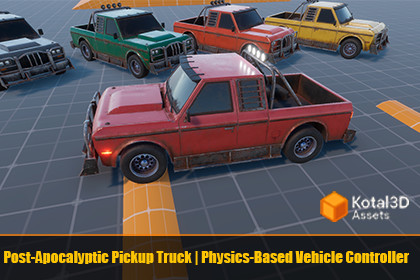
Post-Apocalyptic Pickup Truck | Physics-Based Vehicle Controller
Kotal3D Assets
$24.74
$27.49
10%OFF
(no ratings)
Jump AssetStore
A physics-driven pickup truck controller for Unity with complete vehicle systems, multiple render pipeline support, and 6 color variants.Compatible with all Render Pipelines (Built-in, URP, HDRP). Tested on Unity 2022.3.62f3 and Unity 6 (6000.3.9f1).Post-Apocalyptic Pickup Truck is a ready-to-use vehicle asset built around a realistic physics-based controller. It includes a full driving system with engine simulation, transmission, steering, brakes, traction control, and adjustable suspension — all working with both Legacy Input and the New Input System.The asset comes with pre-configured demo scenes for all three render pipelines, 6 color variants of the pickup truck, and a complete set of supporting systems: camera, lights, UI, and wheel visuals.FeaturesPhysics Vehicle ControllerEngine simulation with torque curve and RPM range (800–7000 RPM)Manual and automatic transmission with configurable gear ratiosAll-wheel drive and rear-wheel drive modesSteering that adjusts based on vehicle speedTraction control to prevent wheel slipAdjustable suspension height at runtimeCollision detection with impact force eventsAdaptable to other vehicles – manual wheel repositioning (this process is shown in the asset's demo video on the store page)Input SystemsSupports both input systems — use whichever your project requires:Legacy Input (no extra packages)New Input System (Input Action Asset included)Default controls work with keyboard/mouse and can be remapped for gamepad.Camera SystemSmooth orbiting camera with:Right mouse button drag to orbitMouse wheel to zoomAuto-follow mode when not orbitingAdjustable rotation speed, smoothness, and vertical angle limitsLights SystemFunctional vehicle lights controlled via code or editor context menu:Headlights and taillights (toggle on/off)Top/roof light (toggle on/off)Brake lights (activate automatically when braking)Reverse lights (activate automatically in reverse gear)Turn signals with blinking animationUI DashboardIn-game interface showing:Speed in km/hCurrent RPMCurrent gear (R, 1, 2, 3...)Suspension height slider with reset buttonWheel VisualsVisual wheel bones automatically sync with physics:Wheel rotation matching WheelCollider RPMSteering angle on front wheelsSuspension compression/extension animationEvents for Custom IntegrationCarController exposes events for connecting your own systems:OnSpeedChanged, OnRpmChanged, OnGearChangedOnStartBraking, OnStopBrakingOnHit (collision force)OnSuspensionChangedRender Pipeline SupportSeparate demo scenes and prefabs are included for:Built-in Render PipelineUniversal Render Pipeline (URP)High Definition Render Pipeline (HDRP)Included Content3 demo scenes (one per render pipeline)Main pickup truck prefab for each render pipeline5 color variants: Blue, Gray, Green, Orange, Yellow (Red is the original color on the main prefab)Demo UI canvas with HUD elementsInput Action Asset for New Input SystemFull C# source codeQuick StartOpen the demo scene matching your project's render pipelinePress PlayDrive with WASD + mouse for camera controlAdjust suspension via the UI sliderCustomizationAll vehicle parameters are editable in the Inspector:Engine power and torque curveGear ratios and final driveSteering angles and speed limitsBrake power and traction control sensitivitySuspension height limitsCamera distance, speed, and smoothnessLight blink intervalsTextures:Total textures: 27Texture sizes: 1024×1024 and 2048×2048Model:Polygon count (whole pickup truck): 19,158 trianglesMeshes: 4UV mapping: YesRigging:Yes — functional suspension animationMaterials:Realistic PBR texturesSupport for Built-in, URP, and HDRP render pipelinesPrefabs:6 color variants × 3 render pipelines = 18 prefabs totalScripts:Full C# source code included

