






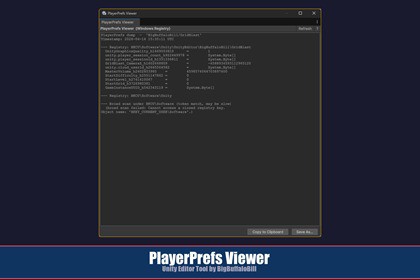
PlayerPrefs Viewer is a editor tool that reads the Windows registry and displays all PlayerPrefs entries associated with the current project in a scrollable text buffer.PlayerPrefs Viewer is a editor tool that reads the Windows registry and displays all PlayerPrefs entries associated with the current project in a scrollable text buffer. The output can be copied to the clipboard or saved to a text file.RequirementsPlatform: Windows only — the tool reads from the Windows registry (HKCU\Software). On macOS or Linux the window opens but shows a message that the feature is unavailable.Version: 2020.3 LTS or later.Dependencies: None beyond built-in editor and .NET APIs.Opening the WindowFrom the menu bar, choose:Tools > BBB > PlayerPrefs ViewerThe window opens as a non-modal floating panel. It runs the registry dump automatically on open. You can leave it open alongside other Editor windows without it blocking any interaction.Using the ViewerReading the OutputThe text area shows two sections:Exact path matches — values read directly from well-known registry paths where stores PlayerPrefs for the current companyName / productName.Broad scan results — a full walk of HKCU\Software that reports any key or value whose path or data contains the company name, product name, or the tokens BleBike, playerprefs, or PlayerPrefs. This catches entries stored in non-standard locations.Note: The broad scan traverses the entire HKCU\Software tree and may take a moment on machines with a large registry.Refreshing the DataClick Refresh in the toolbar to re-run the dump at any time. This is useful after running Play Mode or after another tool has written new PlayerPrefs values.AI used as a reference like google for coding API details and minor bits of boilerplate. All design and creative via my experience as a career software engineer.

