






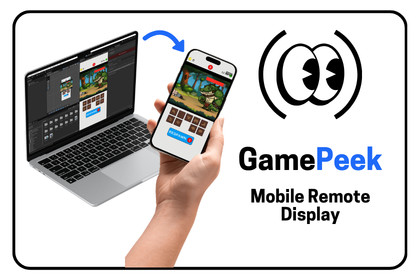
Stream your Unity Game View to a real phone in real time with touch, gyro, and accelerometer input sent back. No setup required.GamePeek lets you preview your game on a real mobile device without leavingthe Unity Editor. Start the server with one click, scan the QR code with thecompanion app, and your Game View shows up on your phone, live over yourlocal Wi-Fi.GamePeek injects touch events from the phone straight into Unity's InputSystem (or the legacy Input Manager), so your game responds to real touchesexactly as it will on a physical device. Gyroscope and accelerometer data areforwarded too, so you can test motion controls without making a build.Video travels over GamePeek's own low-latency UDP protocol, with an automaticTCP fallback for networks that block UDP. There are no package dependencies;import it and press Start. Quality adapts to your network in real time: packetbursts get spread out first, then JPEG quality and frame rate step down, andeverything recovers when the network does.The editor advertises itself over mDNS/Bonjour, so the companion app finds iton the same network by itself. You never type an IP address, and there is aQR code in the Editor window if you would rather just scan.GamePeek works in both Edit Mode and Play Mode, survives domain reloads, andcreates its Windows Firewall rule on first run, so you never have to touchnetwork settings.You get 10 minutes of streaming at full Pro quality every day: 1080p, up to120 fps, multi-touch, and motion sensors. The companion app (free on the AppStore and Google Play) unlocks unlimited streaming.Real-time Game View streaming over local Wi-Fi using GamePeek's own low-latency UDP protocol with automatic TCP fallbackNo package dependencies, just plain socketsNetwork-adaptive quality: packet pacing, then JPEG quality, then frame rate, restored automatically when the network recoversAuto-discovery via mDNS/Bonjour, so you never type an IP addressQR code displayed in the Editor window for scan-to-connectTouch injection into Unity's Input System (com.unity.inputsystem) and thelegacy Input Manager; multi-touch includedGyroscope and accelerometer data forwarded from phone to EditorTwo capture modes: Camera.Render (synchronous) and AsyncGPUReadback (non-blocking, about one frame of latency)Works in Edit Mode and Play Mode; streaming survives domain reloadsRound-trip time monitoring with a colour-coded indicator in the appAutomatic Windows Firewall rule creation on first runRemote play over Tailscale for testing away from your deskConfigurable port, capture method, log verbosity, and Play Mode restriction10 free minutes of full-quality streaming every day; unlimited streaming at 1080p and up to 120 fps via the companion app's Pro upgradeStore detailsCode reviewing and Debugging

