






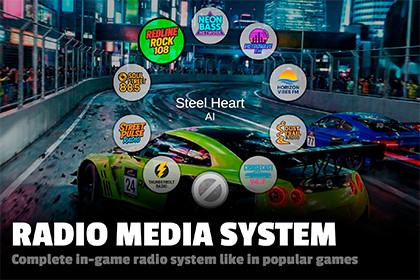
Complete in-game radio system like in popular game series. Two UI styles, background playback simulation, event-driven API, and easy setup.Radio Media System is a complete, ready-to-use radio system for adding in-game radio to your Unity project. Featuring two menu styles, background station simulation, track info display, and a clean scripting API, this system gives you everything you need to build an immersive radio experience like in popular game series without starting from scratch.Features:Radial Menu: Circular station selector with animated buttons, center track display, hover or click selection, and a dedicated radio off button. Hold a key to open or use scroll wheel to cycle stations directly. Horizontal Menu: Sliding strip of station logos that appears from any screen edge. Smooth scroll animations with auto-hide after inactivity. Supports top, bottom, left, and right positioning. Background Station Simulation: All stations track their playback position in real time, even when not selected. Switching to a station resumes from where it would have been, creating the feel of real radio broadcasting. Multiple Audio Sources: Assign several AudioSources to play the same station in sync. Easy Customization: Configure menu style, radius, animation speed, volume, auto-hide delay, and more from a single Settings asset.- ScriptableObject Stations: Create and configure radio stations as assets. Each station has a name, logo, and a list of tracks with artist info. Add, remove, or reorder stations without touching code.- Event-Driven API: Subscribe to OnTrackChanged, OnStationChanged, and OnRadioToggled events from your own scripts. Control playback, switch stations, and toggle the radio programmatically.- Scene Persistence: Enable DontDestroyOnLoad to keep the radio playing across scene transitions with all state preserved.- Based on New Input SystemAI was used to generate music, sounds, logos and background for demo scenes.

