






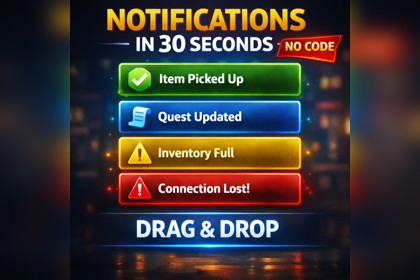
Polished drag-and-drop toast notification system for Unity 6 with animated stacking, queue support, preset styles, icons, sounds, and a simple API.Uses Unity UI / UGUI for its runtime and demo scene.Required - `com.unity.ugui`ONeil Tech Notification System is a beginner-friendly notification package for Unity 6 that helps developers add clean, polished toast notifications to their projects in minutes. Import the package, drag the included prefab into your scene, press Play, and trigger notifications with simple API calls.The package includes animated notification cards, stacked layout behavior, queue support for repeated alerts, built-in notification type presets, optional icons, optional sounds, and manual close support. A demo scene and documentation are also included to make setup, testing, and customization easy for both new and experienced Unity users.Drag-and-drop prefab setupAnimated toast notificationsNotification stackingQueue support for repeated notificationsBuilt-in notification type presetsOptional iconsOptional soundsManual close button supportSimple API callsDemo scene includedBeginner-friendly documentationInspector-based customizationBuilt for Unity 6Includes main prefab: ONeil Tech Notification System.prefabIncludes demo scene: NotificationSystemDemo.unityIncludes runtime API:NotificationManager.ShowNotification(...)NotificationManager.ShowSuccess(...)NotificationManager.ShowWarning(...)NotificationManager.ShowError(...)NotificationManager.ShowInfo(...)Includes notification types:Default Success Warning Error InfoIncludes style preset controls for:colors icons icon tint icon background sounds duration overridesIncludes manager controls for:width screen padding stack spacing max visible notifications queue delay default duration close button defaults screen position presetsIncludes documentation for:quick start drag-and-drop setup API examples prefab setup styling troubleshooting changing notification artRequired package:com.unity.uguiOptimization and Debugging

