






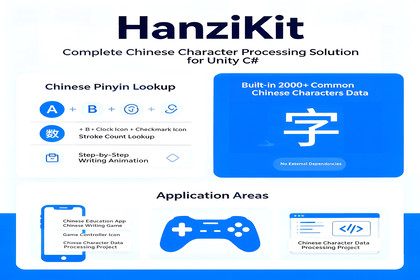
HanziKit is a Unity toolkit for Chinese character stroke animation, pinyin, and Tian-grid display. Ideal for educational apps and language games.✨ Features🔤 Stroke Order AnimationAnimate character writing following standard stroke orderThree drawing modes: Instant, Stroke-by-Stroke, AnimatedSingle-character and multi-character playbackAdjustable animation speed and stroke delay🔍 Pinyin QueryFast pinyin lookup for 6000+ common Chinese charactersPolyphone detection — automatically returns all pinyin variantsTone marking support (tone symbols / numbered / plain)Batch query for entire strings✍️ Stroke Count QueryGet stroke count for single characters or entire strings🏠 Tian Grid BackgroundBuilt-in Tian grid UI component for character writing practiceDashed crosshair midlines, customizable colors and widths📦 Multi-Character Display SystemDisplay stroke animations for multiple characters simultaneouslySimultaneous and Sequential playback modesIndependent cards per character: grid + strokes + pinyinAuto-wrapping, flexible layout🛠 Editor ToolsDatabase Browser — search by character, pinyin, or stroke countData Integrity Check — one-click detection of missing dataPinyin Editor — directly edit character pinyin dataDatabase Split — extract specific characters into a new databaseJSON Data Import — import custom character data📦 Package ContentsCategoryContents✅ C# Scripts15 core scripts with full comments✅ Demo Scenes4 ready-to-run example scenes✅ Character DatabasePre-imported 6000+ character data (pinyin, stroke counts, SVG paths)✅ Editor ExtensionsDatabase browser, Inspector extensions, data import tool✅ DocumentationEnglish & Chinese usage docs🎯 Use CasesChinese language education games — character learning, writing practiceLanguage learning apps — pinyin lookup, stroke order demonstrationCultural heritage displays — calligraphy art, Chinese character themesChildren's启蒙 apps — interactive character explorationQuiz & test tools — stroke count challenges, pinyin fill-in-the-blank🔧 Technical DetailsUnity Version: 2020.3+UI System: uGUI (UnityEngine.UI)Scripting Backend: Mono / IL2CPPNo external dependencies — everything works out of the boxNo TextMesh Pro dependency — uses native uGUI text components🚀 Quick StartC#using HanziKit;// Query pinyinstring[] pinyins = HanziKitEngine.GetPinyins('行');// → ["háng", "xíng"]// Get stroke countint strokes = HanziKitEngine.GetStrokeCount('永');// → 5// Play stroke animation (multi-character display)var display = GetComponent();display.PlayText("你好世界");Just a few lines of code to integrate Chinese character query and animation into your game.📄 Version InfoCurrent Version: v1.0Last Updated: 2024Documentation: English / 中文HanziKit — Making Chinese character display in Unity simple and elegant.

