






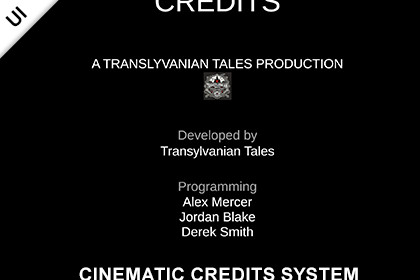
Create cinematic, movie-like scrolling credits with a flexible, code-driven system. Supports any Unity UI, custom movement, and looping. Includes prefab and demo scene.This package doesn't contain any render-piepline specific code or visuals, so it works for any render pipeline out of the box.Test the cinematic credits demo here:https://transylvanian-tales.itch.io/cinematic-credits-system-demo🎬 Cinematic Credits System – Flexible Movie-Style UI CreditsCinematic Credits System is a lightweight and flexible solution for creating movie-style scrolling credits using Unity UI.It uses a fully code-driven approach to move UI panels across the screen, allowing you to create classic vertical credits, horizontal layouts, diagonal motion, or fully custom cinematic presentations.Built as a simple and reusable system, it includes a ready-to-use prefab and demo scene so you can quickly integrate cinematic credits into your project.🚀 Key Features🎥 Cinematic Scrolling Credits• Classic movie-style credits (bottom to top)• Smooth continuous movement• Supports cinematic UI presentations🔀 Fully Custom Movement• Control movement using X and Y speed• Vertical, horizontal, or diagonal motion• Reverse direction (top-down, right-to-left, etc.)🔁 Optional Wrapping (Looping)• Wrap on X and/or Y axis• Infinite scrolling credits• Perfect for looping menus or presentations🎨 Works With Any Unity UI• Supports Text, TextMeshPro, Images, Buttons, and more• No restrictions on layout or hierarchy• Mix and match any UI elements⚡ Code-Driven & Lightweight• No animations or timeline required• Minimal overhead• Fully controlled via script📦 Ready-To-Use Prefab• Includes a clean credits panel setup• Vertical layout example included• Easily customizable structure🎬 Demo Scene Included• Shows a complete cinematic credits setup• Automatically starts credits on play• Demonstrates movement and wrapping behavior📦 What’s Included• CinematicCreditsSystem component• Credits panel prefab• Demo scene (ready-to-use example)• Demo script (enables credits in Start)• Full documentation and setup guides🧠 Designed for FlexibilityThis system is not tied to any specific layout or design.Use it to create:• Game credits• Intro / outro sequences• UI-based cinematic presentations• Scrolling menus• Custom animated UI panelsYou have full control over:• Layout• Content• Movement• Behavior🧩 Modular ArchitectureOrganized into reusable and maintainable systems:• Core logic located in _Common (shared systems)• Asset-specific content separated for easy use• Designed for scalability across multiple assets⚙️ Easy Setup• Drag & drop the prefab into your scene• Or create your own credits layout• Assign the required references• Configure speed and wrapping• Start credits via Start or button click📚 Documentation & Learning• Clean and structured documentation• Architecture and system breakdown• Setup instructions and usage examples📺 Tutorials playlist:https://www.youtube.com/playlist?list=PL2ESxGsWSBc4OqC1zlrHLOIUXsvKm7OhH🔒 No External Dependencies• No external APIs used• No third-party services required• No API keys needed• Fully self-contained within the package💡 Perfect For• Game credits screens• Cinematic UI sequences• Menus with scrolling content• Showcases and presentations• Any project requiring dynamic scrolling UICore Features• Code-driven UI movement using RectTransform• Configurable speed using Vector2 (X and Y axes)• Supports vertical, horizontal, and diagonal motion• Optional wrapping on X and Y axes• Uses unscaled delta time (independent of time scale)• Lightweight with minimal runtime overheadUI System• Works with Unity UI (Canvas-based)• Supports Text, TextMeshPro, Images, Buttons, Sliders, etc.• No layout restrictions (free hierarchy and structure)• Compatible with Vertical Layout Group, Content Size Fitter, or custom layoutsIncluded Content• CinematicCreditsSystem component• Credits panel prefab• Demo scene (cinematic credits example)• Demo script (enables panel in Start)• Full documentation and setup guidesArchitectureCore logic located in:/Assets/TransylvanianTales/_Common/Asset-specific content located in:/Assets/TransylvanianTales/CinematicCreditsSystem/DependenciesIncluded internal packages:• TT.UI.CinematicCredits.V1• TT.Core.ReadOnlyAttribute.V1Unity Requirements (for demo & prefab)• TextMeshPro (for included UI setup)Compatibility• Works on mobile and desktop platforms• Compatible with any Unity UI-based project• Independent of gameplay systemsImportant Usage Notes• Credits panel should NOT be enabled in Awake• Unity UI layout is finalized after Awake, which affects movement bounds• Recommended to enable in Start or via user interaction (button click)• Animated panel RectTransform must fully cover all child UI elements• This is required for correct wrapping behaviorExtensibility• Supports custom movement logic (override or modify speed)• Can be extended with animation curves or easing• Can integrate with timeline, state machines, or UI systems• Supports dynamic content generation at runtimeExternal Dependencies / API Disclaimer• No external APIs used• No third-party services required• No API keys needed• Fully self-contained within the packageAI tools (such as ChatGPT and Google Gemini) were used to assist in generating documentation, licensing text, and written content. All code and functionality were developed and verified by the publisher.

