






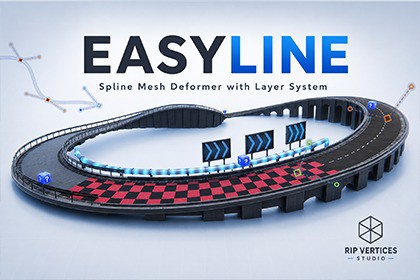
EasyLine - Spline Mesh Deformer with layer system
Rip Vertices Studio
$17.33
$24.75
30%OFF
(no ratings)
Jump AssetStore
Deform meshes, spawn prefabs, and animate conveyor belts in real-time. Full support for mixed meshes! Bake shape to prefab or .obj if u want optimization! AUTO COLLIDERS for road and props!🛣️ EasyLine — Spline Mesh Deformation & Prefab Placement**EasyLine** is a complete spline-based mesh deformation and prefab placement toolkit for Unity. Draw paths directly onto your terrain, attach any 3D model, and watch it automatically bend, tile, and connect along the curve — all in real-time, right in the Scene View.Whether you're building winding mountain roads, industrial conveyor belts, fantasy bridges, or sci-fi piping — EasyLine handles the heavy lifting so you can focus on design.---## 🎯 Key Features### 🖌️ Draw, Don't PlaceForget manual object placement. EasyLine's **Draw Tool** lets you paint spline paths directly onto surfaces with click-and-drag precision. Smart continuation automatically extends your line, and mid-segment insertion lets you add detail without rebuilding.### 🧩 One Mesh. Infinite Paths.Assign any mesh or prefab to the spline and it instantly tiles along the entire path. Need variety? **Mixed Mesh mode** lets you sequence different models — alternate roads, drains, or barrier segments. Each element gets its own material, collision mode, and rotation constraints.### ⚡ Deform or Stay Rigid — Your ChoiceToggle **Deform Mesh** on for organic bending (rivers, vines, cables) or off for rigid placement (fences, walls, train cars). EasyLine's **Chord Alignment** system ensures rigid segments connect with mathematical precision. The **Post-Deformation Vertex Merge** automatically closes gaps at seam boundaries — even on sharp curves.### 🏗️ Production-Ready PhysicsGenerate optimized **MeshColliders** in real-time with adjustable simplification levels. Props can be auto-simplified to box colliders. **Static collider mode** keeps physics frozen during conveyor animation — saving massive CPU overhead at runtime.---## 📦 Advanced Tools### 🏗️ Spline Prefab InstantiatorBeyond simple meshes, the Instantiator allows you to scatter complex GameObjects along the spline.* **Hybrid Deformation**: Toggle "Deform Meshes" to make child geometry bend with the curve while keeping scripts, lights, and VFX intact.* **Precise Spacing**: Choose between "Total Count" or "Fixed Distance" to perfectly populate your path.* **Natural Randomization**: Add jitter to position, rotation, and scale to create organic-looking forests, debris, or street props.* **Preserve Geometry**: A single toggle ensures your prefabs keep their exact asset scale and shape, ignoring spline-based distortions.### 💾 Bake & ExportWhen your path is ready for production:* **Bake to Prefab**: Saves the deformed mesh and collider as standalone assets.* **Export to OBJ**: Export for further editing in Blender, Maya, or any DCC tool.---## 🚀 Quick Start1. **Create a Spline**: Add the `BezierSpline` script to an empty GameObject or use the **Spline Draw Tool** icon in the main Unity toolbar.2. **Draw the Path**: Click and drag in the Scene View to place anchor points. Use `Left Click` to add, and pull yellow handles to adjust curvature.3. **Assign Mesh**: Add a `SplineMeshDeformer` component, drag a mesh into the **Source Mesh** slot, and it will conform to the path immediately.4. **Use Mixed Meshes**: Enable `Use Mixed Meshes` to define multiple segments (e.g., Bridge -> Road -> Bridge) using indices.---## 🌟 Perfect For- **Roads & Infrastructure** (Highways, tracks, mountain paths)- **Game Mechanics** (Conveyor belts, moving platforms, rail systems, tank treads)- **Environment Art** (Rivers, vines, cables, fences, piping, industrial wiring)- **Attractions** (Roller coasters, waterslides, race tracks with banking)---## 📖 Documentation & SupportView the full documentation here:👉 [EasyLine Official Documentation](https://sites.google.com/view/easyline-ripvertices/home?authuser=1)---### 🛠 Technical Specifications & Troubleshooting* **Forward Axis**: If your mesh faces sideways, change the local `Forward Axis` (X, Y, or Z) in the inspector.* **Vertex Merging**: Enable `Post-Deformation Vertex Merge` to weld seams on continuous objects like hoses or pipes.* **Point-Based Banking**: Select an anchor point and use the **Roll Angle** slider to create tilted race tracks or rollercoaster loops.* **Performance**: For very complex scenes, use **Static Colliders** and ensure **Auto Live** is only on when editing.Features:Spline Prefab InstantiatorBeyond simple meshes, the Instantiator allows you to scatter complex GameObjects along the spline.Spline SystemCubic Bezier Splines with anchor/tangent handles and smooth Hermite interpolationPer-Point Roll (-180° to 180°) for banked turns, bridges, and roller coastersPer-Point Scale (XY) for tapering, widening, and organic shapesLoop Curve mode for closed circuits (racetracks, conveyor belts)Draw Tool — paint spline paths directly onto terrain/surfaces in the Scene View. Two-click placement with tangent dragging, smart continuation, and mid-segment point insertion (De Casteljau splitting)Mesh Deformation EngineReal-Time Vertex Deformation — meshes are bent to follow the curve with per-vertex precisionChord-Perfect Rigid Alignment — non-deforming segments are placed with mathematically optimal chord fitting for seamless rigid connectionsForward Axis Selection — supports X, Y, Z (positive and negative) mesh orientationsPost-Deformation Vertex Merging — spatial hash-based merge on final deformed positions eliminates seam gaps between adjacent segments, including on sharp curves in rigid mode. Configurable merge distanceSmooth Normals — automatic normal blending across all segment boundaries and loop seamsStretch to Fit Curve — auto-scales meshes to cover 100% of the spline lengthWorld Space UVs — optional UV regeneration for seamless tiling texturesCurve Bend Density — adaptive segment scaling at bends (shrink or stretch)Smooth Bend Strength — softens sharp direction changes at curve jointsMixed Meshes & PrefabsMixed Mesh Sequencing — procedurally alternate between multiple meshes/prefabs along a single path with per-element start/end index rangesSource Modes: Raw Mesh (.fbx/.obj) or Prefab (preserves materials) and multi objects.Per-Element Collider Mode: Auto (heuristic), Road (continuous surface), or Prop (discrete object)Per-Element Constraints: Force Upright, Lock Axes (X/Y/Z), Deform Props toggleAuto Read/Write Fix — automatically enables mesh Read/Write in import settings when neededPhysics & CollidersReal-Time MeshCollider generation with throttled updates for editor performanceCollider Simplification (1–10x) — distance-to-chord algorithm reduces physics overheadSimplify Props as Boxes — replaces small decorations with optimized box collidersStatic Collider Mode — keeps collider stationary during conveyor animation (massive CPU savings)Animation & ConveyorsConveyor Animation — continuous mesh/prefab scrolling along the spline at configurable speedFast Animation Mode (LUT) — pre-calculated Look-Up Tables for per-vertex math, enabling hundreds of simultaneous animated splines on mobile hardwareEditor Preview — live deformation and animation in Scene View without Play ModeExport & BakingBake to Prefab — saves deformed mesh + collider as standalone assets for production buildsExport to OBJ — generates standard .obj files for use in Blender, Maya, or other DCC toolsRotation ConstraintsIndividual Lock Rotation X/Y/Z for the entire mesh (ideal for train cars, flat platforms)Separate Prop Rotation Constraints — keep props upright, lock specific axes independentlySupported PlatformsDesktop (PC/Mac/Linux) · Mobile (Android/iOS) · Console (PS4/PS5, Xbox, Switch) · WebGLDocumentation: https://sites.google.com/view/easyline-ripvertices/home?authuser=1Support in writing code.

