






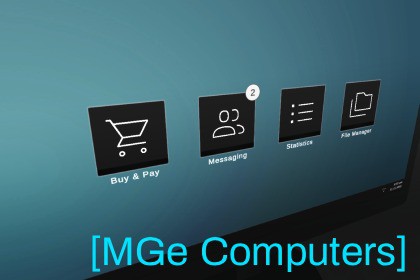
Interactable Computers is a lightweight, modular system that adds fully interactive in-game computers to your game.Interactable Computers is a modular framework for adding fully interactive in-game computers to your game - complete with keyboard, mouse, and gamepad support out of the box.Apps are built on Unity's uGUI system, so if you've built UI in Unity before, you already know how to build apps. Modal support is included.There are 4 demo apps to get started 🌟Shopping AppItems are added easily via ScriptableObjectsCategorized item browserCheckout processSupports balanceDisplays the cart item count as a notification badgeFile Manager AppFully customizable folder/file hierarchySupports text, image, video and audio playback modals out of the boxMessaging AppMessages list & large message displayMessages include: subject, text, receiver, sender, sender avatar and timeMessage read indicatorStatistics AppDisplays a 3-column table with dataEvery app exposes a runtime API and C# events so you can hook into them from your own game logic with minimal effort.Want to go further? You can extend any existing app or build your own from scratch using the same framework.Interactable Computers is designed for fast prototyping and rapid app building. Ready-to-use boilerplate apps can be generated with the press of a button, letting you focus entirely on designing your app - no need to worry about screen interaction or app management, it all works out of the box.Basic C# knowledge is recommended for custom development.Suitable for immersive sims, horror, UI-based games and many more 💻The framework is equally well-suited for building smartphones and tablets - its core handles screen interaction and the app layer in a way that can be used far beyond computer screens alone.The system uses a virtual cursor for the screen navigation, so you can hook it up to any input method of your choice 🕹️You can check out the Playable DemoThe UI is based on Unity's uGUI and it uses a World-Space canvasThe package supports the legacy and the new input system with mouse + keyboard & gamepad support using a virtual cursorFully documented code and a user manual includedThe included demo camera script is not optimal for transitions - Cinemachine is recommendedThere is no player controller included

