






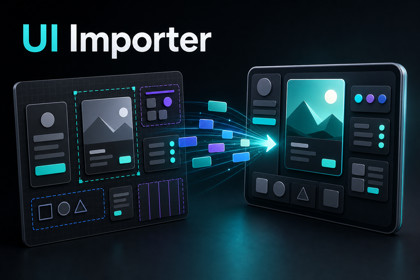
Convert Figma-exported UI JSON into Unity uGUI Prefabs with one right-click. Supports Auto Layout, 9-Slice, Mask, ScrollRect, Constraints, hierarchy, and auto Button detection.UI Importer (compatible with Figma) is a Unity Editor extension that automatically converts UI layout JSON exported from Figma into ready-to-use uGUI Prefabs. Pair it with the companion Figma export plugin to bridge your design and Unity workflow with zero manual layout work.▼ KEY FEATURES■ One-click Prefab generationRight-click any exported JSON file and choose "UI Importer > Create Prefab". Each root node becomes its own prefab, saved next to the JSON file.■ Full hierarchy reproductionParent-child structure from your design is preserved exactly in Unity. RectTransform position, size, anchors, and rotation are all configured automatically.■ Auto Layout → LayoutGroupHorizontal and Vertical Auto Layout frames are converted to HorizontalLayoutGroup / VerticalLayoutGroup with full spacing, padding, and alignment support.■ 9-Slice supportNodes flagged as 9-slice in the source JSON are imported as Image.Type.Sliced with sprite borders applied automatically (Single sprite mode).■ Mask & ScrollRectImage masks, shape masks, content clipping, and overflow scrolling (horizontal / vertical / both) are converted to Mask, RectMask2D, and ScrollRect automatically.■ Responsive ConstraintsConstraints (MIN / CENTER / MAX / STRETCH / SCALE) are translated into proper RectTransform anchors so your UI scales correctly across resolutions.■ TextMeshPro integrationText nodes become TextMeshProUGUI with font, size, color, alignment, line height, letter spacing, bold/italic, and overflow mode all preserved. Configurable font mappings let you map source font names to your project's TMP Font Assets.■ Button auto-detectionAny node whose name starts with a configurable prefix (default: "btn") receives a Unity Button component automatically. Nested buttons are prevented to avoid conflicts.▼ SUPPORTED FEATURES- Auto Layout (Horizontal / Vertical) → LayoutGroup- Text → TextMeshProUGUI- Image / Export → Image + Sprite (auto sprite lookup)- Fill Color → Image (solid color)- 9-Slice → Image (Sliced) with sprite border- Opacity (with children) → CanvasGroup- Mask (Image / Shape) → Mask + Image / RectMask2D- Clip Content → RectMask2D- Overflow Scrolling → ScrollRect- Constraints → RectTransform anchors- Rotation → RectTransform.localEulerAngles.z- Button Prefix → Button component▼ REQUIREMENTS- Unity 6 or later- TextMeshPro- Unity UI (uGUI)- Companion Figma export plugin (free, available on Figma Community)▼ WORKFLOW1. Open the companion Figma export plugin in Figma.2. Select the frames you want to export and download the JSON file.3. Place the JSON file and image assets into your Unity project's Assets folder.4. Right-click the JSON file → Assets > UI Importer > Create Prefab.5. Use the generated prefab in your scene.▼ DOCUMENTATION & SUPPORTA full PDF documentation is included in the package. For more information, tutorials, and updates, visit the official website:https://onederappli.jp/figma-to-unity/index.html────────────────────────────"Figma" is a trademark of Figma, Inc. This asset is an independent third-party tool and is not affiliated with, endorsed by, or sponsored by Figma, Inc.• Import UI layout data exported from Figma• Automatically generate Unity UI hierarchy• Create Unity UI Prefabs from imported layouts• Preserve layout structure from Figma designs• Editor tool for generating UI elements inside Unity• Works with Unity UI (UGUI)• Includes example layout data and demo scene• Clean folder structure following Asset Store guidelines• Fully written in C#• No external dependencies• Documentation included• Compatible with Unity 2021.3 or newerAI DisclosureThis package was created with the assistance of AI tools used in a supporting role.Specifically:- The C# editor scripts were authored by the developer with AI-assisted code suggestion andreview. All code was manually verified and tested before release.- The user manual (PDF) and the Asset Store listing copy were draftedand translated into English with AI assistance, then reviewed andedited by the developer.No third-party content was reproduced. All AI-assisted output wasreviewed by the developer before inclusion in this package.

