






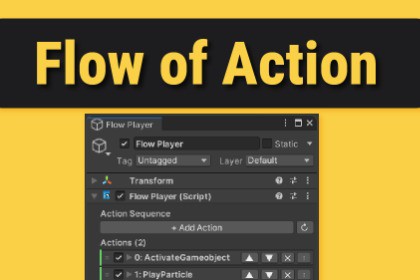
Create complex action sequences visually — no code needed. 58+ built-in
actions for audio, animation, UI, physics, juice effects, and more.RENDER PIPELINE SUPPORTFlow Of Action works with Built-in, URP, and HDRP render pipelines.For URP projects, a separate URP.unitypackage is included — simply import it after the main package to replace the demo scene shaders with URP-compatible versions.Documentation | SupportFlow Of Action is a lightweight, memory-efficient action sequencing systemfor Unity. Build complex sequences of animations, audio, transforms, UIeffects, physics events, and more — all from the Inspector, without writinga single line of code.WHY FLOW OF ACTION?Unlike heavy visual scripting tools, Flow Of Action is designed to be fast,clean, and inspector-native. Each action uses [SerializeReference]polymorphic serialization — reducing per-action memory from ~440 bytes(MonoBehaviour) down to ~60–100 bytes.58+ BUILT-IN ACTIONSAudio · Animation · Transform · UI · Renderer · Flow Control · Physics ·Physics2D · Particles · Camera · Lighting · Scene · Time · Variables ·Juice · DebugTRIGGER SYSTEM — NO CODE REQUIRED7 built-in trigger components start your sequences automatically:OnCollisionTrigger — physics collisionsOnTriggerZone — enter/exit/stay zonesOnInputTrigger — keyboard inputOnMouseTrigger — mouse click/hoverOnTimerTrigger — delayed or repeatingOnVariableTrigger — react to variable changesOnEnableTrigger — on GameObject enable/disableJUICE & GAME FEELPunch Position, Punch Rotation, Punch Scale, and enhanced Screen Shakewith Perlin noise, exponential damping, per-axis control, and continuousmode — all without DOTween or any third-party dependency.VARIABLE SYSTEMStore and compare Bool, Int, Float, String, Object, Vector2, Vector3, andColor variables. React to changes with OnVariableTrigger or drive branchinglogic with CompareVariable action.CONDITIONAL BRANCHINGBranchAction and CompareVariable let you build dynamic sequences thatrespond to game state — health checks, flag comparisons, method predicates.EXTENSIBLECreate custom actions in seconds using the built-in Action Creator tool.A coroutine-based lifecycle (Initialize → DoAction → Stop) makes customactions easy to write and maintain.Version: 1.4Unity Version: 2021.3 LTS and newerRender Pipeline: Built-in, URP, HDRP (no render pipeline dependency)C# Language Version: C# 8.0+Scripting Backend: Mono and IL2CPP supportedTarget Platforms: All Unity-supported platformsWebGL: Supported (timing-sensitive actions may vary)Serialization: [SerializeReference] polymorphic serializationMemory per action: ~60–100 bytes (vs ~440+ bytes for MonoBehaviour-based systems)Threading: Main thread only; no async operationsDependencies:Unity AI Navigation — NOT required (Flow Of Action has no NavMesh dependency)TextMeshPro — optional; accessed via reflection, no hard dependencyDOTween — NOT required; all tweening is built-inNo third-party packages requiredPackage Contents:Runtime/ — Core, Actions (58+), Triggers (7), Conditions, Variables, Attributes, UtilitiesEditor/ — FlowPlayer inspector, Action Creator window, Property DrawersScenes/ — Demo scene (optional, safe to delete)Demo Scene Third-Party Assets (not included in your license):Sound Effects — Pixabay (Pixabay Content License)3D Models — Kenney.nl Prototype Kit (CC0 1.0 Public Domain)

