






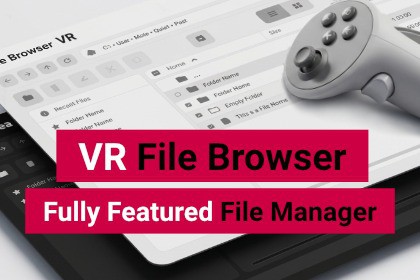
A complete, extensible VR file browser for Unity.
Browse, manage, and select files in XR with full controller & hand tracking support. Tested on Meta Quest 2, 3, 3S and Valve Index.VR File Browser is a complete, extensible file browsing and management solution built for VR and MR projects in Unity. Designed for XR developers, it combines intuitive UI, robust features, and flexible customization to handle file operations seamlessly in immersive environments.📢 Access our Discor Server for questions, news, updates!─────────────────────────────────────☑️Full File Management in VRBrowse your file system, create folders, and with a long press enable multiselect and file management - copy, cut, paste, rename, and delete. Opening multiple selected files is supported. Open/Save dialog modes give you complete flexibility for any use case.☑️Customizable ThemesShips with Modern Light and Dark themes. Fully customize the look using TSS and USS style sheets, or create your own theme from scratch without touching core assets.☑️Flexible NavigationBreadcrumb navigation, back/forward history, favorites, platform-specific default locations, and a Recent Files virtual folder make navigating the file system intuitive and fast in VR.☑️ Search & FilterInstant search with real-time filtering, plus configurable file type filters. Define custom filters by extension or category to match your application's needs.☑️Thumbnail PreviewsAutomatic thumbnail generation for images and videos in both Detail and Icon views, with asynchronous thumbnail loading and caching for performance.☑️LocalizationAdapt the UI to any language through the built-in localization support via the Unity Localization package.☑️ Highly ConfigurableEvery aspect of the browser is configurable per instance via the Inspector — views, properties, sorting, filters, favorites, billboard behavior, and more. Extend with custom FileViews and FileProperties without modifying core code.☑️ XR Input ReadySupports controller interaction and optional hand tracking via XR Interaction Toolkit. Compatible with the XRI Spatial Keyboard sample for text input in VR.☑️CompatibilityThe VR File Browser is compatible with the Immerea VR Spatial Keyboard !🎮Supported PlatformsMeta Quest 2, 3, 3S: Standalone (APK), Windows (PC VR), Meta Horizon Link, SteamVRValve Index: Windows (PC VR), SteamVRRequires: XR Interaction Toolkit 3.2.2+, Unity 6.2+Requires Windows for development, Mac and Linux are currently not supported─────────────────────────────────────⚠ ImportantFile System Access VR File Browser operates directly on the device's file system. Actions such as creating, moving, renaming, or deleting files affect real data and may result in permanent loss. Use these features carefully and mantain appropriate safeguards─────────────────────────────────────📄 Documentation: https://packages.immerea.com/vr-filebrowser/documentation/✉ Support: support@immerea.comUnity Version: 6.2, 6.3 (newer versions may be compatible)Render Pipeline: Compatible with URP and HDRPDependencies: com.unity.xr.interaction.toolkit ≥ 3.2.2, com.unity.xr.openxrSupported Platforms: Android (Meta Quest 2/3), WindowsRequires Windows for development, Mac and Linux are currently not supportedPC VR Runtimes: Meta Horizon Link, SteamVRUI System: Unity UI Toolkit (USS/TSS)Input: XR Interaction Toolkit controller & hand trackingDialog Modes: Open Dialog, Save DialogFile Views: Detail View (sortable columns), Icon View (grid)Theming: Modern Light, Modern Dark, Base theme for custom themesThumbnail Support: Images & videos, persistent cacheKeyboard Support: XRI Spatial Keyboard (sample), Immerea VR Keyboard (coming soon)Extensible: Custom FileViews, FileProperties, DriveProperties, ThemesLocalization: built-in localization support via the Unity Localization packageDocumentation: Full online documentation included─────────────────────────────────────☑️ Compatible with the Immerea VR Spatial Keyboard !─────────────────────────────────────⚠ ImportantImportant notice for XR Interaction Toolkit + UI ToolkitAs of XR Interaction Toolkit v3.5, VR interactions in the Unity Editor require the Game View to have active focus: can be done by simply clicking anywhere inside the Game View window.Parts of the VR File Browser in version 1.0.5 and onwards were created with the assistance of generative AI tools.Code: Claude Code was used as a programming and development assistant. The asset is developed and maintained by a professional programmer, who uses AI as an assistive tool for coding tasks. The code was reviewed, adapted, and integrated by the programmer and was not produced solely through automated generation.AI assistance was used as part of the production workflow and does not replace the development, technical review, or artistic decisions made by the creators.

