






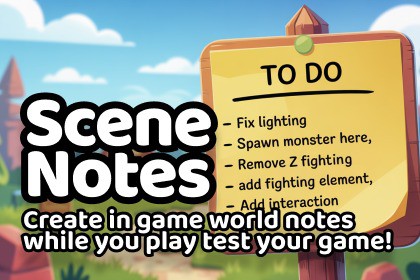
Drop contextual notes directly into your scene during playtesting. Press a hotkey, describe the issue, and a sticky note appears at that exact world position. Notes persist after play mode ends.Scene NotesStop alt-tabbing to your notepad when you find a bug during playtesting. Press a hotkey, type a description, and a colour-coded sticky note spawns at the exact world position where you spotted the issue. When play mode ends, your notes are waiting in the scene — click any note to fly the camera straight to it.Works in the Unity Editor and in standalone builds, so your QA team can drop notes without ever opening Unity.How it worksPlay your gameSpot a bug, or think of something that needs workPress the hotkey (default F8 — fully configurable)Game freezes, note editor appearsType a description, pick a note type (bug, critical, todo, etc.)Hit confirm — note spawns, game resumesStop play mode — all notes persist in the sceneNotes are stored in a ScriptableObject database, not as scene objects, so they survive play mode transitions and can be regenerated, hidden, exported, or cleared at any time.Three placement modesPlayer Position — note spawns at the player character's location with a configurable forward offset. Perfect for first-person, third-person, platformers, and any game with a player-controlled character.Cursor Raycast — note spawns wherever the mouse cursor is pointing in the world. Perfect for RTS, city builders, god games, top-down strategy, tycoons, and any game without a player character.Screen Centre Ray — note spawns at the crosshair/screen centre point. Perfect for VR, cursor-locked FPS games, and reticle-based gameplay.All three modes work in both 2D and 3D games.Scene Notes Manager windowA dedicated editor window that gives you full control:See all notes in the current scene as a sortable listFilter by note type (critical, bug, todo, idea, resolved)Click any note to fly the Scene view camera to its locationMark notes as resolved without deleting themRegenerate All — rebuild note objects from the databaseHide All — clear note objects from the scene (data preserved)Delete All — wipe notes permanentlyExport to CSV — generate a task list for your project managementImport from Build — pull in notes created during standalone testingCustomisable note typesShips with five defaults:Critical (red) — game-breaking bugsBug (orange) — standard issuesTodo (yellow) — tasks and remindersVisual (green) — art and polish notesIdea (blue) — suggestions and improvementsAdd your own types with custom names and colours through the settings ScriptableObject. Your team's workflow, your categories.Works in standalone buildsQA testers don't need Unity installed. They play the build, press the hotkey, drop notes, and a JSON file is saved to disk. Back in the editor, hit "Import from Build" and every note appears in the correct scene at the correct position. A complete QA feedback loop without screenshots, emails, or guesswork about where the bug was.The 3D sticky noteNotes appear as colour-coded sticky notes floating in the scene. They billboard toward the camera so they're always readable. Each note displays its type colour, a truncated description, and the author's name. Notes render on top of scene geometry, so they're never hidden behind walls or objects.In 2D mode, notes render as flat sprites on a configurable Z-layer so they sit cleanly above or below your game art.Auto-filled metadataEvery note automatically records:Date and time of creationAuthor name (from settings — supports multiple team members)World position (XYZ coordinates)Scene nameNote type and descriptionSettingsAll configuration lives in a single ScriptableObject:Hotkey bindingAuthor nameSpawn mode (Player Position / Cursor / Screen Centre)Player reference and forward offset2D / 3D mode toggleCustom note types (name + colour)Note visual scale and rendering optionsCSV export pathBuild import pathPerfect forSolo developers who playtest their own gamesSmall teams with dedicated QA testersGame jam projects that need fast bug trackingAny Unity project — 2D, 3D, any genre, any render pipelineStudios that want contextual bug reports without external toolsRoadmapPlanned updates include:Screenshot capture attached to each noteTrello and project management integrationScene view annotation drawingPriority and team member assignmentVersion control-friendly storage formatSupportFull documentation with setup guide and video tutorial included. Questions or feature requests: https://discord.gg/DSUd2QcyHZI usually respond within 24 hours.Also by Chris Burns:Animation ToolsSkinned Mesh SeparatorNarrator Event SystemVoice packs for game audio3D asset packs including Plastic Army MenCompatible with Unity 2021.3+Works with Built-in, URP, and HDRPWorks in 2D and 3D projectsWorks in editor play mode and standalone buildsFull C# source code includedNo external dependenciesScriptableObject-based data storageLightweight — no impact on game performanceSingle settings asset — drag into any projectDiscord support: https://discord.gg/DSUd2QcyHZ

