






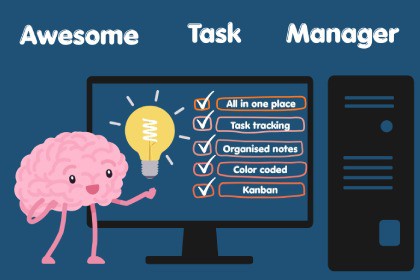
Awesome Task Manager (Kanban + Notes Management)
Vitor Makes Games
$18.80
$20.89
10%OFF
(no ratings)
Jump AssetStore
A powerful Kanban board and notes system built directly inside the Unity Editor to manage tasks, ideas, and workflow without leaving your project.| Requirement | Version ||-------------|---------|| Unity | **2021.3 LTS** or newer (including Unity 6) || Render Pipeline | Any (SRP, URP, HDRP, Built-in) — it's editor-only! || Platform | All — editor tool, no runtime dependencies || Theme | ✅ Light & Dark editor themes |Awesome Task Manager is a powerful, all-in-one productivity tool built directly into the Unity Editor, designed to keep your workflow fast, organized, and distraction-free.It combines a flexible Kanban task board with a feature-rich Markdown notes system, eliminating the need for external tools like Trello or Notion.Organize tasks across unlimited boards, customize workflows with columns and templates, and manage everything visually with drag-and-drop interaction. Create detailed task cards with priorities, due dates, checklists, categories, assignees, and attachments — all accessible without leaving Unity.The integrated notes system supports Markdown editing, inline images, and powerful organization tools, making it easy to capture ideas, document systems, or plan features alongside your tasks.With advanced features like assignees, board templates, card duplication, cross-board workflows, and smart linking between notes, assets, and scene objects, Awesome Task Manager scales from solo developers to full teams.Fully editor-only, lightweight, and version-control friendly, it’s built to integrate seamlessly into your existing Unity workflow without impacting performance.Unity Editor tool (no runtime impact)Supports Unity 2021.3 LTS and newer (including Unity 6)Works with Built-in, URP, and HDRP pipelinesFully self-contained (no external dependencies)Task BoardUnlimited boards and customizable columnsDrag-and-drop cards with reorderingBoard Templates (Agile, Game Dev, Bug Tracker, Custom)Task cards with description, tags, priorities, due dates, checklistsSmart due date indicators (overdue, today, upcoming)Category system with customizable colorsCard duplication & cross-board copy/pasteSearch and filtering across tasksArchive system for task managementImage and GIF attachments with live previewNotes SystemMarkdown editor with live previewInline image embedding (![[image.png]])Clipboard image paste (Ctrl+V)Drag-and-drop image supportFolder organization and note pinningSearch, color labels, and pop-out editor windowsImport/export support for multiple text formatsNotes SystemMarkdown editor with Edit / Preview modesInline image embeds (![[image.png]])Clipboard paste (Ctrl+V) and drag-and-drop image supportFolder organization with pinningSearch by title and contentPop-out editor windowsImport/export support for multiple file formatsGIF SupportBuilt-in GIF decoder (no plugins required)Animated playback in cards and notesOptimized with caching (no runtime overhead)UX & WorkflowLight & Dark theme supportGlobal shortcuts:Open tool (Ctrl+Alt+T)Create task (Alt+Shift+C)Create note (Ctrl+Alt+N)Background creation (works without window open)Auto-save system (no manual saving required)Visual feedback for drag-and-drop and actionsData & StorageJSON-based storage in ProjectSettingsPer-project data isolationVersion-control friendly structureAttached assets stored within project folders

