






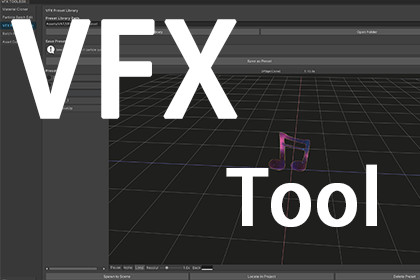
VFX Toolbox - All-in-One Toolkit for VFX Artists
Unity China Publisher Hub
$16.50
$33.00
50%OFF
(no ratings)
Jump AssetStore
VFX artist toolkit for batch material, particle, and asset management.VFX Toolbox - Detailed Description Overview VFX Toolbox is a Unity Editor extension toolkit designed specifically for VFX artists. It provides 5 functional modules accessible via Tools → VFX Toolbox, helping VFX artists significantly reduce repetitive manual operations. --- Five Major Features 1. Material Cloner - Function: Batch clone and replace materials on selected GameObjects. - Supported Renderers: MeshRenderer, SkinnedMeshRenderer, ParticleSystem, TrailRenderer, LineRenderer, VFX Graph (VisualEffect). - Naming Modes: By GameObject Name + suffix, keep Original Name + _Clone, or Custom name. - Material Selection: Supports "All materials" or "Custom index" to specify individual material slots. - Highlights: Automatically creates output directories, supports Undo, one-click batch processing with output path and naming settings persisted via EditorPrefs. 2. Particle Batch Edit - Function: Batch modify ParticleSystem parameters for multiple selected GameObjects. - Modifiable Parameters: Duration, Loop, Start Delay, Start Lifetime, Start Speed, Start Size, Max Particles, Gravity Modifier, Start Color. - Three Modify Modes: Set (replace value), Add (add to current value), Multiply (multiply by current value). - Scope Control: Optional "Include Child Particle Systems" option. - Highlights: Right panel shows current parameter range (min-max) for all selected ParticleSystems in real time, providing a clear overview before modification. Supports Undo batch operations. 3. VFX Preset System - Function: Save, preview, manage, and spawn VFX presets. - Save Preset: Select any GameObject with ParticleSystems in the scene, and save as a Prefab with one click. Materials are automatically cloned into a separate _Materials subfolder, ensuring preset independence. - Preview System: - Renders in an isolated Preview Scene, independent of Scene/Game views. - Built-in grid display (X axis red, Z axis blue) for spatial reference. - Mouse drag to rotate camera, scroll to zoom. - Toolbar: Play/Pause, Replay, Reset View, Loop toggle, Resolution scaling (1x-3x), Background color adjustment. - Displays current preview preset name and simulation time. - Supports Timeline (PlayableDirector) driven effects. - Camera settings (angle, distance) and preview parameters are persisted across sessions. - Preset Management: Double-click to rename (with Enter/Esc key support), drag to reorder, Spawn to Scene (instantiates at selected object's position with matching parent/transform), Locate in Project, Delete Preset (simultaneously removes prefab and materials folder). - Highlights: Material automatic cloning ensures preset self-containment; preview render uses URP camera; preset order persists via EditorPrefs; selected preset state also persists across sessions. 4. Batch Rename - Function: Batch rename selected assets or GameObjects. - Four Modes: Prefix (add prefix), Suffix (add suffix), Sequence (Prefix_BaseName_Number_Suffix format, supports start number, step, digit count configuration), Replace (find and replace text). - Highlights: Real-time preview of old name → new name mapping, supports both Hierarchy GameObjects and Project window assets, supports Undo, changes automatically mark scene as dirty. 5. Asset Collector - Function: Collect (copy or move) materials and textures used by GameObjects into organized folders. - Material Collection: - 4 naming modes: Keep Original, RenameByGameObject (supports sequence numbering + find/replace), CustomPrefix, CustomSuffix. - Copy or Move operation modes. - In Copy mode: optional "Redirect to GameObject" to update original GameObject's material references to new copies. - Texture Collection: - 4 naming modes: Keep Original, CustomPrefix, CustomSuffix, RenameAll. - Copy or Move operation modes. - In Copy mode: optional "Redirect to Material" to update texture references in copied materials. - VFX Graph Support: Accesses VisualEffect components via reflection, no hard dependency. - Highlights: Preview panel displays all to-be-collected materials and textures (with thumbnail) with editable names; finds all texture properties on materials via ShaderUtil; displays progress bar during collection; automatically opens output folder upon completion. --- General Highlights - Bilingual Support: English/Chinese one-click switch, settings persist across sessions. - Settings Persistence: All module settings are saved via EditorPrefs, maintaining consistent experience across sessions. - Undo Support: All modification operations support Unity Undo, reducing misoperation risks. - Auto Path Creation: Output directories are automatically created recursively, no manual folder creation needed. - No External Dependencies: VFX Graph support via reflection, does not affect usage when the package is not installed. - Compatible with Unity 2021.3+.Technical Details Architecture: One EditorWindow with 5 tab modules, left-nav layout. Preview: Isolated preview scene via EditorSceneManager.NewPreviewScene(). Manual Camera.Render() to RenderTexture, drawn with GUI.DrawTexture. EditorApplication.update loop drives particle simulation and Timeline playback. VFX Graph: No hard dependency — accesses VisualEffect via reflection at runtime. Persistence: All settings saved through EditorPrefs. Batch Ops: Undo.RecordObject for undo support, AssetDatabase for asset copy/move, progress bar via EditorUtility.DisplayProgressBar.

