






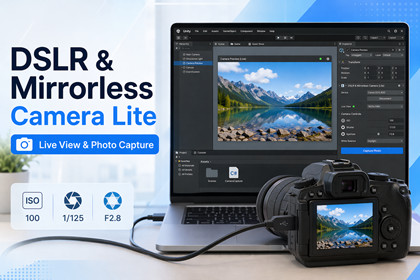
DSLR & Mirrorless Camera Lite - Live View & Photo Capture
Denis Ivanov
$0.0
(no ratings)
Jump AssetStore
Free DSLR & mirrorless camera plugin with GPU-accelerated live view streaming and photo capture. Connect professional cameras to Unity via USB.### DSLR & Mirrorless Camera Control for Unity — FREEConnect DSLR and mirrorless cameras to Unity via USB. Stream real-time live view at 30 FPS with GPU-accelerated JPEG decoding. Capture photos remotely and download them to your project.Requires your own manufacturer camera control SDK license and SDK download before use.This asset does not include the manufacturer SDK runtime due to licensing restrictions.Canon EDSDK / Camera Control API download information:https://www.usa.canon.com/support/sdkIf you are outside the United States, use your regional Canon developer resources page and download a recent Windows x64 Canon EDSDK package under your own Canon SDK license.### KEY FEATURES**Real-Time Live View**- 30 FPS streaming directly from camera sensor- GPU-accelerated JPEG decoding (DirectX 11)- Full resolution (camera-dependent)- Display on any UI RawImage with the LiveViewDisplay component- *Note: Lite edition includes a watermark overlay on live view. Upgrade to Pro for clean output.***Remote Photo Capture**- One-click capture with automatic download- Full resolution JPEG files- File path provided via C# event- Works seamlessly during live view**Camera Control**- Auto Focus with custom AF point positioning- Click-to-focus on live view image- EVF Zoom (Fit, 5x, 10x magnification)**Developer-Friendly**- 3-line setup for basic usage- Event-driven API (no polling)- Full C# source code included- 3 example scenes with complete source### QUICK START// ConnectDslrCameraManager.Instance.RefreshCameraList();DslrCameraManager.Instance.ConnectToCamera(0);// Live viewDslrCameraManager.Instance.StartLiveView();// PhotoDslrCameraManager.Instance.TakePicture();### EXAMPLE SCENES INCLUDED1. **BasicLiveView** — Connect camera, display live view (minimal code)2. **PhotoCapture** — Live view + take photos + display file path3. **ZoomAndFocus** — Zoom levels (Fit/5x/10x) + auto focus + click-to-focus### SUPPORTED CAMERASWorks with any DSLR or mirrorless camera supported by the manufacturer SDK you install. Typical coverage is 200+ models from major professional camera manufacturers. The full model list is available on the manufacturer's developer portal where you download the SDK.If your camera can be controlled by the manufacturer's PC tethering utility over USB, it will work with this plugin.### REQUIREMENTS- Unity 2021.3 LTS or newer- Windows 10/11 (64-bit)- DirectX 11- A DSLR or mirrorless camera supported by the manufacturer SDK, plus USB cable- Manufacturer SDK DLL (free download — step-by-step instructions included)### SETUP1. Import package2. Download the manufacturer SDK from your camera manufacturer's developer portal (free, instructions included)3. Copy the SDK DLL to Assets/Plugins/x64/4. Set Build Target to Windows x645. Connect camera, press Play, click Connect### UPGRADE TO PRORemove the live view watermark and unlock full professional camera control:- **Clean live view** — no watermark, production-ready output- ISO, Aperture, Shutter Speed, White Balance control- Manual Focus with speed control- Battery level and available shots monitoring- Property list queries- DirectX 11 and DirectX 12 support- 3 additional Pro example scenes- Priority email supportGet DSLR & Mirrorless Camera Pro on the Asset Store: https://u3d.as/3SPX### TECHNICAL HIGHLIGHTS- Native C++ plugin with DirectX 11 GPU integration- Thread-safe command queue architecture- Lock-free atomic texture access for Unity render thread- Background JPEG decoding (~3ms per frame)- Automatic live view restoration after photo capture### FAQ**Q: Do I need to download the manufacturer SDK separately?**A: Requires your own manufacturer camera control SDK license and SDK download before use.This asset does not include the manufacturer SDK runtime due to licensing restrictions.Canon EDSDK / Camera Control API download information:https://www.usa.canon.com/support/sdkIf you are outside the United States, use your regional Canon developer resources page and download a recent Windows x64 Canon EDSDK package under your own Canon SDK license.**Q: Does it work in Unity Editor?**A: Yes, fully functional in Editor Play Mode.**Q: Can I use it in commercial projects?**A: Yes, Unity Asset Store license allows commercial use.**Q: Multiple cameras?**A: One camera at a time in Lite. Pro version planned for multi-camera support.**Q: macOS/Linux?**A: Windows only (manufacturer SDK limitation).### SUPPORT- Documentation included (README, troubleshooting guide)- Website: https://feel.digital- Email: dslrcameraplugin@feel.digital- Upgrade to Pro for priority email support- Native C++ plugin with DirectX 11 GPU integration- Thread-safe command queue architecture- Lock-free atomic texture access for Unity render thread- Background JPEG decoding via stb_image (~3ms per frame)- Automatic live view restoration after photo capture---### FAQ**Q: Do I need to download Canon SDK separately?**A: Yes, Canon EDSDK is free but requires registration. Step-by-step instructions included.**Q: Does it work in Unity Editor?**A: Yes, fully functional in Editor Play Mode.**Q: Can I use it in commercial projects?**A: Yes, Unity Asset Store license allows commercial use.**Q: Multiple cameras?**A: One camera at a time in Lite. Pro version planned for multi-camera support.**Q: macOS/Linux?**A: Windows only (Canon EDSDK limitation).---### SUPPORT- Documentation included (README, troubleshooting guide)- Community support via Unity Forum- Upgrade to Pro for priority email support

