






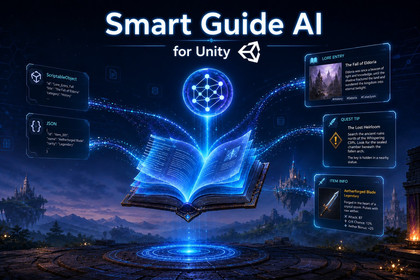
Add a retrieval-first AI guide to your Unity game that answers players using your own game data.Smart Guide AI for Unity is a production-ready in-game help system that lets players ask questions and receive answers grounded in your own curated game content instead of generic chatbot guesses.The asset searches your game knowledge first, selects the most relevant entries, and only then builds the final prompt for the model. This keeps answers focused, game-specific, and easier to control.Smart Guide supports multiple content workflows, from small prototypes to larger projects. You can use ScriptableObject entries, scene markers, manual entries, or bulk-import data from JSON. The package also includes centralized shared settings, so API configuration, prompt limits, and search tuning stay consistent across scenes.Included editor tools make the workflow practical for real production:Setup WizardJSON ImporterEntry BrowserSearch DebuggerDatabase rebuild utilitiesExport sanitization for API key safetyUse Smart Guide to add a polished AI-powered codex, assistant, or help panel to your game while keeping the answers tied to your own design, systems, and lore.Features • Retrieval-first AI answers grounded in your own curated game data • Supports multiple data sources: ScriptableObject entries, scene markers, manual entries, and JSON import • Centralized SmartGuideSettings asset for API, model, language, prompt, search, and request configuration • Shared settings across scenes, so keys and AI tuning do not stay stuck on one scene object • Language-aware workflow with localized entry content support • Built-in editor tooling: Setup Wizard, Entry Browser, Search Debugger, and JSON Importer • Database rebuild and validation workflow for large knowledge bases • Export sanitization tools to help prevent shipping API keys in the package • Includes demo scene and sample JSON content for fast onboardingSupported OS Windows, macOS, LinuxLink to documentation - Assets/SmartGuide/Documentation/QuickStart.md - Assets/SmartGuide/Documentation/README.mdAI tools were used in the packaging design process: visual elements and graphics were generated with GPT Image 2.0, while Claude was used to adjust the image dimensions to fit the layout format.

