






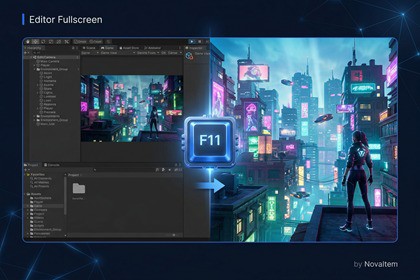
True borderless fullscreen for Unity Game View during Play Mode. One key press, zero runtime code, multi-monitor ready.Editor Fullscreen lets you instantly switch your Game View into a true borderless fullscreen window — not just Unity's built-in "Maximize on Play" which only expands within the Editor frame.Perfect for:• Testing UI/UX at real screen resolution without building• Presenting gameplay, cutscenes, or VFX to stakeholders• Streaming or recording editor gameplay at native resolution• Quick playtesting with an immersive full-screen experienceHow it works:Press F11 (or click the toolbar button) and your Game View pops out into a dedicated borderless window that covers the entire monitor — title bar, taskbar, and all editor chrome disappear. Press F11 again (or Escape) to return to the normal editor layout instantly.Everything lives inside the Editor/ folder so absolutely nothing is included in your final build. Your game's size and performance are completely unaffected.Features:• True Fullscreen — Creates a borderless popup window covering the entire monitor, unlike Maximize on Play• One-Key Toggle — F11 to enter/exit fullscreen; fully customizable via Edit → Shortcuts• Auto Play Mode — Optionally enter fullscreen automatically when you press Play• Multi-Monitor — Pick any connected display from a dropdown in Project Settings• SceneView Overlay — Toolbar button on the Scene View for quick access• Menu Integration — Tools → NovaItem → Editor Fullscreen (Toggle / Enter / Exit / Settings)• Project Settings Panel — Edit → Project Settings → NovaItem → Editor FullscreenTechnical Info:• 100% Editor-only code — zero impact on builds• Single Assembly Definition (NovaItem.EditorFullscreen) — no namespace pollution• Windows: native multi-monitor detection via P/Invoke (user32.dll)• Works across domain reloads and editor restarts• Compatible with Unity 2021.3 LTS, 2022.3 LTS, and Unity 6 (6000.x)AI was used as a coding assistant during development.

