






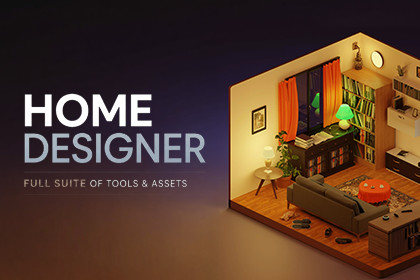
Complete interior design toolkit for Unity. Draw floor plans procedurally, furnish rooms, paint materials, and export to JSON/GLB .Design floor plans. Furnish rooms. Export to 3D. All inside Unity at runtime.Home Designer Suite is the complete interior architecture toolkit for Unity. Draw rooms procedurally, apply materials, place furniture from a modular library, and preview realistic multi-floor buildings in real time.This is the next generation of the Floor Plan Designer and Home Designer plugins, rewritten from the ground up with a new architecture, a richer API, mobile support, undo/redo, smart snapping, and an entirely redesigned UI.⭐ FEATURESProcedural Floor Plan EditorDraw arbitrary polygon rooms or snap to a rectangular shortcut. Split any room into multiple areas with a single gesture. Add doors, windows, and archways with drag-and-drop placement. Every change rebuilds the geometryprocedurally in real time, including walls, floors, ceilings, UV maps, and collision meshes.Full Furnishing WorkflowPlace furniture from an included library of 63 ready-to-use prefabs. Objects automatically snap to floors, walls, and ceilings with a single-collider snapping system. Rotate in 15° steps, scale on-screen, and switch betweenvisual variants, all without writing a line of code.Material Switching SystemApply materials per room, per wall, per floor, and per ceiling. Full support for Built-in, URP, and HDRP render pipelines. A batch Render Pipeline Switcher tool is included to convert all materials in one click.Multi-Floor PreviewToggle into a stacked 3D preview that displays all floors simultaneously, including furniture, exterior shell, and roof geometry. Smooth state transitions and automatic camera refocus.New API: Full Programmatic ControlHeadlessBuildingAPI lets you create, modify, and serialize entire buildings from code with no UI dependencies. Batch-generate building variations, automate house layouts, or integrate the builder into any custom pipeline.Undo / Redo: Full Edit HistoryEvery action is snapshotted as JSON. Step backward and forward through up to 50 states with full geometry rebuild. No lost work.JSON & GLB Export: Runtime ReadyExport your designs to JSON for data-driven workflows or GLB for real-time 3D rendering, at runtime, without leaving Play mode. Load, save, and enumerate multiple named project files.Smart SnappingOne collider is all it takes to make any GameObject a placeable module. Objects auto-detect and snap to the correct surface type (floor, wall, ceiling), dramatically reducing the friction of creating custom furniture.Mobile Support: Android & iOSFully optimized touch controls and rendering for Android and iOS. Multi-touch pan, pinch-to-zoom, long-press drag, and tap-to-select all work out of the box.Dedicated Website & User Accounts (Included, Self-Hosted)A complete Laravel web application ships with the suite. Host it on your own server to give your users a dedicated portal: save and load projects from anywhere, browse public community templates, and manage accounts.Open-source, zero vendor lock-in.Public TemplatesPublish floor plans as public templates. Browse and import community-created layouts to jumpstart any project in seconds.Customisable Keyboard ShortcutsAll bindings are exposed through the HomeDesignerInputActions Input Action asset. Remap any key or add touch bindings with zero code changes.🏗 ARCHITECTURE- Clean event-driven architecture — swap or remove the UI without touching the core- State machine (Idle → Floors → FloorPlan → Paint → Furnish → Preview) driven entirely by subscribers, zero hardcoded logic- Service Locator pattern for zero-friction dependency injection- 160+ C# scripts · 20+ controllers · 30+ UI components · 9 procedural mesh generators- Headless operation: run without any UI via HeadlessBuildingAPI- Multiple BuildingController instances per scene supported🏠 PROCEDURAL MESH GENERATORS- Rooms (walls, floor, ceiling, reflection probe, collision mesh)- Outside / exterior areas- Openings (doors, windows, archways)- Exterior shell (contour-derived building shell)- Roofs: Flat, Hipped, and Gabled with configurable overhang and thicknessConstruction settings are fully configurable at runtime:Wall height · interior/exterior wall thickness · door height · roof type · roof thickness · roof overhang📦 WHAT'S INCLUDED- 63 furniture prefabs (appliances, bedroom, kitchen, living room, lighting, patio, doors & windows)- Demo_Editor scene — full working Editor UI example- Demo_API scene — headless programmatic building example- HomeDesignerSettings ScriptableObject for quick configuration- Render Pipeline Switcher tool (Built-in ↔ URP ↔ HDRP batch conversion)- Convert GameObject to Module editor tool- HomeDesignerInputActions Input Action asset (fully remappable)- Full source code (160+ C# scripts)- Complete documentation site: API reference, architecture diagrams, integration guides, quick-start, FAQ⬆ UPGRADING FROM FLOOR PLAN DESIGNER OR HOME DESIGNER?Home Designer Suite supersedes both plugins. If you purchased either the original Home Designer or Floor Plan Designer, you qualify for a loyalty discount of 25–60% depending on the amount you previously paid. Submit yourinvoice at: homedesigner.exoa.dev/discount🗺 ROADMAP- Parametric Rooms — constraint-based rooms where adjusting width auto-recalculates all connected geometry- Rounded Corners — curved wall transitions with automatic UV and collision- Floor Plan Scanning — import a floor plan image or PDF and trace walls with guided overlays- Online Modules Library — browse and download curated furniture packs directly from the Editor🔗 LINKS- Main Website- Documentation- Roadmap- Support Forum ▎ Perpetual license · No subscriptions · No seat limits · Free minor & patch updates · Priority email support🔧 TECHNICAL SPECIFICATIONS- Unity 2022.3 LTS and above (including Unity 6 LTS)- URP, HDRP, and Built-in Render Pipeline- Windows, macOS, Android, iOS, WebGL- .NET Standard 2.1 / IL2CPP compatible- Serialization: Newtonsoft.Json (IL2CPP safe) + GLB export- Input System package required- ProceduralToolkit · ClipperLib · LibTessDotNet (all included)📋 REQUIREMENTS- Unity 2022.3.0f1 or higher- Input System package (com.unity.inputsystem)- URP or HDRP package if using those render pipelines (Built-in requires no extra packages)

