






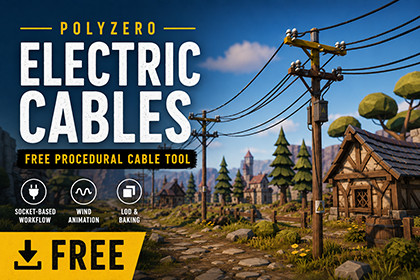
Free procedural electric cable tool for Unity. Build pole chains with socket-based cable generation, wind motion, LOD, baking, quality modes, setup validation and local broken wire detailsPolyzero Electric Cables is a free procedural cable generator for Unity, designed to help environment artists, level designers and solo developers quickly add power lines, telephone wires and utility pole cables to their scenes.The workflow is simple: prepare a pole prefab with cable sockets, duplicate pole instances under a PoleChain object, and generate matching cables automatically from socket to socket. This makes it easy to dress roads, rural environments, industrial areas, villages, urban streets and open-world scenes without manually placing every wire.Although it is free, this is intended as a complete production utility, not a limited demo. The package includes a guided setup wizard, clean custom inspectors, automatic cable generation, wind sway, per-cable wind variation, distance-based LOD, bake/return-to-dynamic tools, quality modes, reusable cable profiles and local broken wire presets near pole sockets.Use it for:Utility poles along roadsRural power linesTelephone wiresIndustrial cable dressingBackground environment detailOpen-world scene dressingStylized or realistic environmentsFast level design blockouts and final scene polishMain FeaturesFree professional Unity editor toolSocket-based pole prefab workflowAutomatic cable generation between consecutive polesSupports multiple sockets per poleProcedural mesh tube cablesWind sway with per-cable variationDistance-based LODBake all cables and return to dynamicQuality modes: Mobile, Balanced, High Quality and CinematicCable profiles/presets for reusable stylesLocal broken/hanging wire presets near pole socketsGuided setup wizard for first-time usersValidate Setup and Fix Common Issues toolsCompatible fallback material workflow for Built-in, URP and HDRPClean custom inspectorsDocumentation and troubleshooting includedWorkflowOpen Polyzero > Spline > Electric Cable Setup Wizard.Assign a pole prefab.Choose socket count and default socket placement.Create or select a PoleChain object.Select a quality mode or cable profile.Build the setup.Move sockets on the prefab to the correct attachment points.Duplicate poles under the PoleChain object.Press Rebuild Chain.The system connects matching socket indices automatically, for example:Pole_01 Socket_01 -> Pole_02 Socket_01Pole_01 Socket_02 -> Pole_02 Socket_02Pole_01 Socket_03 -> Pole_02 Socket_03Get support with links below:Contact Me | Join our DiscordWhy is it free?Polyzero Electric Cables is released as a free utility tool to help Unity developers speed up environment dressing and discover the Polyzero asset ecosystem. It is designed to be useful on its own while also introducing users to future Polyzero tools, environment assets and production workflows.If this free tool helps your project, check out other Polyzero assets for environment building, gameplay systems and production tools.This is just a Tool, this is not an Art pack, the models of scene in the images are not included in the pack.Included ComponentsElectric Cable Setup WizardGuided editor window for preparing a pole prefab and creating a scene cable chain.Electric Pole Chain Cable GeneratorMain controller used to generate cables between pole instances. Includes inspector tabs for Start, Look, Motion, Optimize, Damage and Advanced settings.Electric Pole Cable HubStores the socket references used by each pole.Electric Cable SplineGenerated cable component used for procedural cable mesh generation.Electric Cable ProfileScriptableObject profile system for reusable cable settings such as appearance, sag, wind and LOD.Electric Pole Local Broken CablesCreates short local hanging/broken wire details near pole sockets.RenderingProcedural mesh tube cables for generated pole-to-pole wiresLineRenderer-based local broken/hanging wiresCompatible fallback material workflow for:Built-in Render PipelineUniversal Render PipelineHigh Definition Render PipelineFor production visuals, assigning your own material made for your target render pipeline is recommended.OptimizationDistance-based LODNear/Mid/Far quality settingsBake all cables workflowReturn baked cables to dynamic modeBaked cables can keep wind animation enabledQuality ModesMobile — lower mesh detail and aggressive LODBalanced — recommended default for gameplayHigh Quality — increased mesh fidelity for closer scenesCinematic — highest default quality for screenshots, trailers and hero shotsDamage PresetsLocal broken wire presets include:NoneOne Loose WireTwo Loose WiresHanging JumperMessy Old PoleThese are designed to create believable damage near pole sockets instead of long broken wires floating awkwardly across spans.Notes and LimitationsThis is a cable generation tool, not a full pole art pack.Pole order is hierarchy-based when using Direct Children mode.Wind is procedural animation, not physics simulation.Local broken wires are recommended over breaking long generated cables.Users should run Validate Setup and Fix Common Issues before requesting support.

