






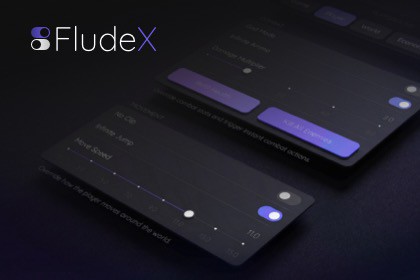
FludeX is a modular runtime debug panel for Unity — built on UIToolkit and App UI, designed to feel native on any device. Compose debug panels with a fluent API and live data binding built in.Debugging on device shouldn't mean compromising on tools. FludeX is a runtime debug panel for Unity that actually feels like it belongs in your project — built on UIToolkit and AppUI, responsive across every screen size, orientation, and platform from the start.A panel that fits your workflow, not the other way around. FludeX is modular by design. Install only what you need — ship the core, add the Overview module for live device diagnostics, add the Playground module for cheat menus and feature flags. Each module appears in the panel automatically on install, no registration or code changes required. As your project grows, build your own modules using the same clean architecture the built-in ones use.Add debug controls with a fluent API. WidgetsBook lets you compose tabbed debug panels in code from a full widget library: toggles, sliders, dropdowns, buttons, steppers, text inputs, and more. Widgets bind to your data via standard .NET property change notification — no per-widget manual updates.Ready for the whole team. Open the panel on any device without connecting to the editor — your whole team gets instant access to live diagnostics, custom controls, feature flags, and more.Included packages:Core — panel engine, gesture & keyboard triggers, WidgetsBook widget library, module systemOverview Module — pre-built diagnostic dashboard with live device, display, build, and runtime informationPlayground Module — blank-canvas panel you populate at runtime with your own pages and widgetsConsole Module — coming in a future update8 samples included across all modules.Modular architecture — each module is auto-discovered at startup via ScriptableObject descriptors, with no manual registration and no assembly scanningWidgetsBook — declarative, page-based widget library (Info, Toggle, Button, ButtonsGrid, Slider, Range Slider, Stepper, Selector, Text Input) built on Unity App UILive data binding — widgets bind to your data via standard .NET property change notificationFlexible trigger system — open the panel with a tap gesture, a keypress, or both simultaneously; fully configurable or replaceable with your own implementationSafe area aware — panel and trigger hit area adapt to device safe area automaticallyFluid, responsive layout — adapts to any screen size, resolution, and orientation; works on phones, tablets, and desktopsOverview module — pre-built diagnostic dashboard with live device, display, build, and runtime information; extensible with custom widgets and pagesPlayground module — zero-boilerplate, runtime-driven blank-canvas panel for cheats, feature flags, and ad-hoc controlsCustom module API — build your own module with 4 C# classes, 2 UXML views, and 1 ScriptableObject descriptorReflection-based DI container — zero-configuration constructor injection for module dependenciesModel-View-Presenter architecture throughout8 samples included across all modulesRequirements:Unity 2022.3.62f3 or laterRequires com.unity.dt.app-ui 2.1.8 (installed automatically as a UPM dependency)AI tools were used in parts of this asset's development workflow. Claude (Anthropic) assisted with code implementation, documentation drafting, and review. Leonardo AI was used to generate the publisher logo. All architectural decisions, system design, API contracts, and quality validation are original work by the publisher.

