






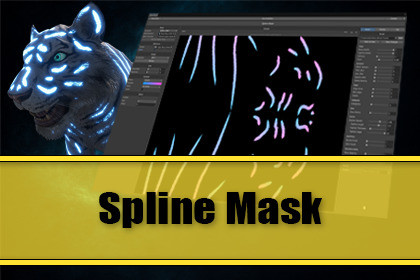
Turn Unity Splines into editable, paintable masks projected onto any mesh. Spline Mask projects each spline through the mesh's UV0 to generate a gradient texture you can preview, style and animate.Shader-pipeline agnostic export - works with built-in, URP and HDRP. The provided example shaders are for URP and for Shader Graph, i. e. easy to convert to your pipeline of choice.OverviewWith Spline Mask you can turn Unity Splines into editable, paintable masks projected onto any mesh. Drop in a SplineContainer and a Renderer and Spline Mask projects each spline through the mesh's UV0 to generate a live gradient texture you can preview, style, animate, bind to a material slot in the Scene View, and export as texture.Real time updates while you edit spline knots. Everything runs on the GPU, so updates stay smooth.Upgrade PathEveryone who owns any of these assets will get this asset at a discount:Spline Tools for UnityThe IdeaThe core idea came from the magic tattoos of the animals of Malbers Animations. Having the emissive textures revealed in an animated way makes the magic transformation feel alive.With Spline Mask you can create a texture with gradients that can be used to drive the revealing animation of magic lines with e. g. a shader. In addition you can also create your own magic lines from the splines.How It WorksSpline Mask opens as a dedicated editor window with a three-panel layout: settings on the left, a live preview in the center and a tabbed Brush / Preview / File panel on the right. The pipeline samples each spline, projects the samples onto the renderer's UV0 with compute shaders, and stamps a gradient along the resulting path.Who This Is ForThis asset is for professional Unity developers who know about masking, materials, shaders and among other things what UVs are and who know what they can achieve with an asset like this when it's available directly inside the Unity Editor.Editor & Live PreviewThree-panel editor window with pannable, zoomable, fit-to-view live previewGPU-driven projection updates in real time as you edit splines, gradients, or brush slidersSquare output texture from 256 up to 8192Optional reference texture as a preview-only backdrop. Great for placing tattoos against the diffuse map without burning the reference into the exportIn-scene line renderer approximation for visualisation of the spline gradientsGradient & Mask ControlCustom gradients plus built-in black to white and solid white presets for grayscale and fixed color masksPer spline mode gradient distribution: every spline runs the full gradient from 0 to 1Global mode gradient distribution: the gradient is split evenly across the splinesBackground mode picks between transparent and opaque black backdrops, applied identically to preview and exportDeep Brush StylingSliders adjust the projected texture in real time. Save and load brush styling independently as brush preset assets to build a personal library of looks. Available categories:Shape - body opacity, cap roundness, softness, taperDynamics - width variation, path jitter, hue jitter, opacity jitter, stamp spacingEdges - edge noise, watercolour wet edges, hollow / outline modeCalligraphy - directional thick-thin nib effect with adjustable angleGlow - outer halo with controllable radius and intensityFeather - tapered hair-like barbs along the rim with density, length and angle controlsMulti-Pass - parallel bristle sub-strokes and overlapping echo passes for sketchy and bristled looksDecorative Marks - procedural runes, sigils and magic seals stamped along the stroke - each deterministic from spline position so they stay stable across rebuildsTexture - optional grayscale stroke texture with amount and tiling.AnimationReveal-sweep animation in Forward, Backward and Ping-Pong modes with adjustable speedSymmetryMirror duplicates each spline across an X / Y / Z plane in the renderer's local space - model one side of a tattoo and get the other side automatically. Useful for characters and animalsIntegrationOptional one-click integration with Spline Tools in order to get renderer and spline container from the Mesh Paint handler's current targetOutput and PresetsExport to PNG or EXRMaskPreset and BrushPreset ScriptableObjects for saving. Note: Of course there's a scene dependency of mesh and spline containerUse CasesAny workflow where a hand-drawn spline needs to land in a UV-correct texture, examples:Animated tattoos, runes and magic circles on charactersAnimal stripes, scales, fur patterns and species-specific markingsDirt, grime, blood and damage masks for weathering passesPath overlays, racing-line guides, tactical map stamps and territory markersDecals, scratches, weld seams and panel lines on hard-surface meshesVFX-driven reveals - spreading magic, growing vines, charging glyphsEditorEditor-only tool. No runtime overhead - the exported textures are plain texture files which you can use anywhereCompute-shader projection pipelineShader-pipeline agnostic export - works with built-in, URP and HDRP. The provided example shaders are for URP and for Shader Graph, i. e. easy to convert to your pipeline of choice.RequirementsUnity 6000.1 or laterUnity Splines package 2.8.4 or later

