






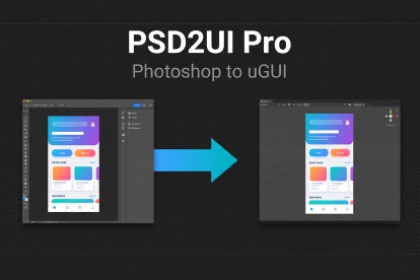
Import Photoshop UI layouts into Unity as pixel-accurate uGUI hierarchies.
One-click PSD import with editable TextMeshPro text, full layer tree, and 9 pivot presets.Design in Photoshop. Import into Unity. Done.PSD2UI Pro turns any Photoshop composition into a fully structured uGUI Canvas — complete with Image, TextMeshProUGUI, and CanvasGroup components — positioned exactly where your designer placed them.HOW IT WORKS1. Run psd2ui_export.jsx in Photoshop and pick an output folder.2. Choose whether text layers export as rasterized PNGs or as editable text metadata.3. In Unity, open Window > PSD2UI Pro, load the exported layout.json, and click Import.FEATURESPixel-Accurate Positioning — Every layer's position and size is transferred exactly. Photoshop coordinates are automatically converted to Unity UI space.Full Layer Hierarchy — Groups become parent GameObjects. Stacking order is preserved as sibling order.Editable TextMeshPro Text — Choose at export time: rasterize to PNG for pixel-perfect visuals, or export as metadata for live TextMeshProUGUI components ready for localization and restyling.Group Opacity Cascade — Groups below 100% opacity receive a CanvasGroup so alpha propagates to children automatically.Layer Effects Baked — Drop shadows, strokes, gradients, smart objects, and masks are pre-rasterized during export. What you see in Photoshop is what you get in Unity.Drag & Drop — Drag layout.json onto the window. An inline preview shows document name, resolution, and layer counts before you import.One-Step Undo — The entire import is a single Undo operation. Ctrl+Z reverts everything.Batched Asset Import — File copies and sprite reimports use AssetDatabase batching for fast import on large PSDs (50-200+ layers).9 Pivot Presets — Center, TopLeft, TopCenter, TopRight, MiddleLeft, MiddleRight, BottomLeft, BottomCenter, BottomRight.WHAT GETS CREATED- Canvas — Auto-created with ScaleWithScreenSize matching PSD dimensions, or parented to an existing canvas you specify.- Image layers — GameObject + Image + Sprite. Opacity preserved. Raycast Target off.- Text layers — GameObject + TextMeshProUGUI with original text content.- Groups — Empty parent GameObjects. CanvasGroup added when opacity < 100%.- Hidden layers — Imported as inactive GameObjects (configurable).PHOTOSHOP SCRIPTThe included ExtendScript (psd2ui_export.jsx) runs in Adobe Photoshop CC 2018+:- Pre-rasterizes all layers (bakes styles, masks, smart objects).- Named snapshots for stable undo on large files.- Single working copy — no per-layer document overhead.- Progress bar with phase indicators.- Outputs layout.json (v2 schema) with hierarchy, bounds, opacity, visibility, and text content.REQUIREMENTS- Unity 2021.3 LTS or newer.- TextMeshPro package (bundled with Unity — no extra install).- Adobe Photoshop CC 2018+ for the export script.LIMITATIONS- Smart objects and layer effects are baked into PNGs during export.- Animations are not imported.- TMP text uses default font/size/color — customize after importDocumentation: Quick guide included in packageAssembly Definition: PSD2UIPro.Editor (editor-only)Namespace: PSD2UIPro.EditorMenu: Window → PSD2UI ProDependencies: - com.unity.textmeshpro (bundled with Unity)Platforms: Editor-only tool (all build targets)Min Unity: 2021.3 LTSTested up to: Unity 6000.xExport format: Individual PNGs + layout.json

