






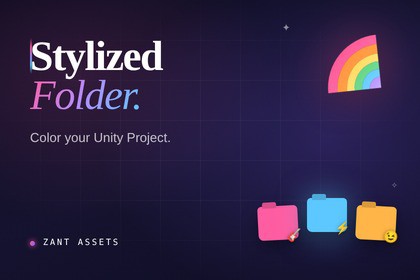
Organize your Project and Hierarchy with custom folder colors, highlight rows, and emoji/icon overlays — all without leaving the Unity Editor.Keep your Unity projects clean and instantly recognizable. Stylized Folder lets you assign custom colors, row highlights, and emojis (or built-in Unity icons) to any folder in the Project window and any GameObject in the Hierarchy — so you can navigate large projects at a glance.Features:Folder icon tinting — Apply any color to folder icons in the Project windowRow highlight — Color the entire label row behind a folder or asset for bold, at-a-glance navigationEmoji & icon overlays — Attach any emoji or Unity built-in icon as an overlay badge on folders and GameObjectsHierarchy support — Style GameObjects directly in the Hierarchy window, not just Project foldersApply to children — Propagate a parent's style automatically to all child GameObjectsStyle clipboard — Copy and paste styles between folders and objects in one clickFull Emoji Picker — Organized, searchable emoji picker with 11 categories (Smileys, Animals, Food, Travel, and more)Quick Color Picker — Compact utility popup for fast color and highlight assignmentsPer-item visibility toggles — Show or hide color, highlight, or emoji independently per itemGlobal toggles — Instantly show or hide all colors, highlights, or emojis project-wideAll Project window view modes — Works in list, small icon, and large grid layoutsPersistent settings — All styles are saved as a JSON file and survive editor restartsUnity Version: 2021.3 LTS or laterRender Pipelines: Any (editor-only tool, no runtime dependency)Editor Platforms: Windows, macOS, LinuxRuntime Scripts: None — editor-onlyAssembly: ZantAssets.StylizedFolderStorage: Settings saved as StylizedFolderSettings.jsonPackage Type: Editor ExtensionDependencies: NoneSource Code: Closed

