






Copy GameObjects for Chatgpt - AI Debug Snapshot for Unity
CubeDroid
$12.31
$17.59
30%OFF
(no ratings)
Jump AssetStore
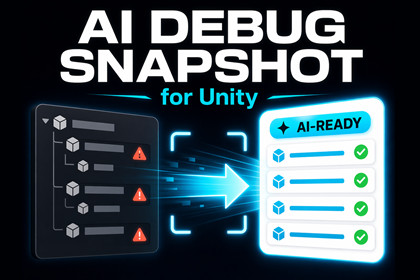
Capture clean GameObject, component, and hierarchy snapshots in Unity, then copy AI-ready debug data for faster troubleshooting, analysis, and refactoring.This is an Editor-only tool and works independently of render pipelines (Built-in, URP, HDRP).Compatible with Unity 2021.3 and newer.No runtime dependencies required.AI Debug Snapshot for Unity is a lightweight editor tool that helps you inspect GameObjects, components, and hierarchies, then copy clean, structured snapshots for debugging, troubleshooting, refactoring, and AI-assisted analysis.Instead of manually checking values one component at a time, you can select one or more GameObjects, choose exactly which objects and components to include, and instantly generate a readable snapshot of your setup. This makes it much easier to share scene data with ChatGPT or other AI tools, review suspicious values, explain unfamiliar objects, or quickly analyze hierarchy-level issues.The tool is designed for developers who want a faster debugging workflow inside the Unity Editor. Whether you are inspecting a single object, reviewing a nested hierarchy, or preparing a compact snapshot for AI debugging, AI Debug Snapshot for Unity helps reduce friction and save time.Key benefits:• Copy structured GameObject and component snapshots in seconds• Include or exclude specific objects and components• Optionally include child objects in the snapshot• Generate AI-ready prompt + snapshot output for faster analysis• Use Compact Mode for cleaner, less noisy output• Search objects and components quickly inside the editor window• Great for debugging, explanation, refactoring, and performance review workflowsThis is an Editor-only utility and does not modify your scene, objects, or component values. It simply reads selected data and formats it into a clean, shareable snapshot.Ideal for:• Unity debugging workflows• GameObject and hierarchy inspection• AI-assisted troubleshooting• Reviewing component setups• Faster developer productivity inside the Unity Editor• Editor-only Unity tool• Compatible with Unity 2021.3 and newer• Works independently of Built-in, URP, and HDRP render pipelines• No runtime dependencies• Dedicated editor window for object and component selection• Copy Snapshot output• Copy Prompt + Snapshot output• Support for multi-object selection• Optional child hierarchy inclusion• Per-object component selection controls• Search/filter support for objects and components• Compact Mode for reduced output noise• Structured snapshot formatting for AI tools, debugging, and inspection• Does not modify scene data or component values

