






PBR Auto Material Builder – One-Click Texture to Material Tool
Mohlin Studios
$20.90
(no ratings)
Jump AssetStore
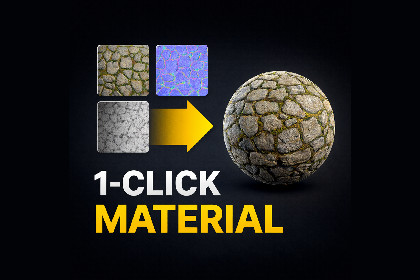
Generate ready-to-use Unity materials from texture folders in seconds with automatic PBR map detection, correct import settings, and support for Built-in, URP, and HDRP.Works with Built-in, URP, and HDRP when that pipeline is installed and active in the project.Use Auto or force a pipeline in the tool window. Requires the corresponding Unity SRP packages (Package Manager), not other Asset Store assets. Optional Custom shader targets one shader path only.PBR Auto Material Builder is a Unity Editor tool that turns folders of PBR textures into ready-to-use Lit materials in a few clicks — no runtime scripts and no player overhead.It finds common maps (albedo, normal, roughness, metallic, ambient occlusion, height, emission, opacity/alpha) using flexible filename-based matching, then builds materials for Built-in, URP, or HDRP (auto-detect or forced pipeline) with the right shader properties.The tool applies sensible texture import settings, can detect OpenGL-style normals and optionally flip the green channel, and converts roughness to smoothness when packing — so materials come out consistent and usable in your project.Material profiles (PBR Lit, Unlit, transparency, optional custom shader), batch generate with progress, Undo for generated assets, and a grid with live previews (optional Studio / Neutral / Dark preview modes) help you work fast while still controlling pipeline, packing, and interpretation when you need to.Ideal for texture packs from sources like Poly Haven, ambientCG, or Megascans, and for any workflow where you want correct PBR setup without manual slot-picking.Editor-only workflow — Unity Editor window; no runtime scripts or player overhead.Texture map detection from file and folder names — albedo/base color, normal, roughness, metallic, ambient occlusion, height, emission, opacity/alpha (token-based scoring with confidence hints in the UI).Material grouping — one material per texture set (shared name prefix) or per-folder layout: material/albedo/, material/normal/, etc.Render pipelines — Auto (uses the active project pipeline) or forced Built-in, URP, or HDRP; builds Lit-style materials with the right shader properties per pipeline.Material profiles — PBR Lit (metallic/smoothness), Unlit, PBR Lit with transparency (opacity map), optional custom shader (menu path).Texture import settings — applies TextureImporter rules per map type (e.g. Normal map type, sRGB for albedo/emission, linear for data maps, opacity/alpha handling).Metallic / smoothness packing — builds packed textures where needed; roughness → smoothness (1 − roughness) with optional “invert off” for textures already in smoothness space.HDRP (and URP where applicable) — mask/packed outputs when metallic/roughness/AO rules call for it (per pipeline options).OpenGL-style normals — detects common naming (e.g. gl / normalgl tokens); optional green-channel flip with a baked copy under the output when enabled or implied by naming.Material grid preview — per-material sphere thumbnails; Preview modes: Studio, Neutral, Dark (lighting/background tints in the UI only, not the generated materials).Batch — scan folder (recursive), Generate all with progress; Undo for created/updated materials.UI diagnostics — per-material warnings/errors; optional acknowledge soft warnings for reviewed sets.Optional — debug logging, mobile max texture size, HQ texture compression, force texture tiling (1,1) on assigned slots, generate mask map for URP/HDRP where enabled.RequirementsUnity 2021.3 or newer (LTS or supported editor line, as in the package).Target Built-in, URP, or HDRP according to the chosen pipeline; URP or HDRP packages must be present when using those modes.Source textures under Assets/.

