






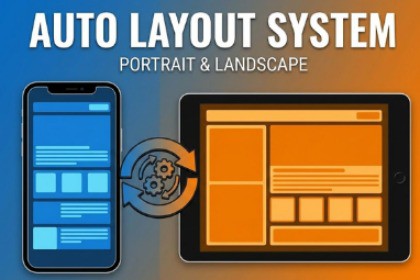
- Free - Auto Portrait & Landscape Layout System
TDL3
$0.0
$7.69
100%OFF
(no ratings)
Jump AssetStore
Automatically switch your UI between Portrait and Landscape modes without coding. Simply arrange your layout, save snapshots via the Inspector, and let the system handle the rotation!Are you struggling to make your Mobile Game UI look good in both Portrait and Landscape modes? Simple Responsive UI is a lightweight, zero-code solution designed to solve the headache of mobile screen orientation. Instead of writing complex scripts to calculate positions, you can simply visually arrange your UI in the Editor and save "Snapshots" for each orientation.How it works:Arrange your UI (Buttons, Panels, Grids) in Landscape Mode.Right-click the component and select "Save as Landscape".Switch your Game View to Portrait Mode.Re-arrange your UI to fit the new screen.Right-click and select "Save as Portrait".That's it! The Orientation Manager automatically detects the device rotation (even in the Editor!) and smoothly applies the correct layout settings.Why choose this package?WYSIWYG Workflow: What You See Is What You Get. Design visually, not with code.Real-Time Preview: Works in Edit Mode! Resize your Game View and watch your UI adapt instantly.Universal Support: Works with standard RectTransforms and Grid Layout Groups.Production Ready: Clean, optimized, and namespace-protected code.Developed by Talha Doğan.Features:Dual-Layout System: Store separate Anchor, Position, Size, and Scale data for Portrait and Landscape modes.Auto-Detection: Automatically detects screen orientation changes at runtime and in the editor.Canvas Scaler Control: Automatically adjusts the Canvas Scaler's "Match Width/Height" value for the best fit in both orientations.Grid Support: Change column/row counts of Grid Layout Groups dynamically (e.g., 4 columns in Landscape -> 2 columns in Portrait).Editor Integration: Custom Context Menu items for a fast workflow.Performance: Highly optimized; uses caching to minimize overhead.Namespace: SimpleResponsiveUI (Prevents code conflicts).Requirements:Version 2020.3 or higher.Standard uGUI.Package Contents:OrientationManager.cs: The core logic that monitors screen changes.ResponsiveTransform.cs: The component applied to UI elements.Documentation & Demo Scene.I used AI tools to assist with drafting the package description, formatting the documentation, and reviewing/optimizing certain code snippets. All core logic, system architecture, and UI layout mechanics were manually designed and developed by me.

