






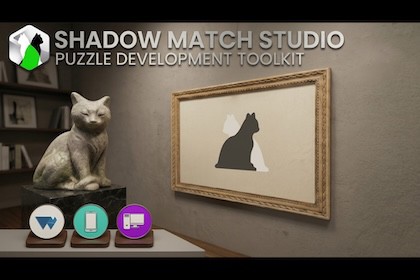
Shadow Match Studio is a puzzle development toolkit for creating and playing 3D shadow-matching puzzles.Shadow Match Studio ships custom URP assets that its installer will use to setup a blank URP project to get you started matching shadows ASAP. You are responsible for customizing your URP settings based on your project's goals.Create puzzles where players rotate a 3D object and match its shadow to its silhouette.- Click-Through Setup: Installer applies project settings for easy first time user setup.-Modern matching: Compute-shader-based pixel comparison delivers real-time, accurate shadow matching.- Fast art iteration: Export your frame as .png for external editing using the Frame Snapshot Export feature.- Player-friendly controls: Natural-feeling controls that are customizable and rebindable, with keyboard&mouse/controller/touch supported out of the box.- Multi-platform ready: Play on Mobile, WebGPU and PC/Console builds.- Public API extensibility: Developer-ready hooks for advanced control.- Guides when you need them: Documentation and help videos available.- No-code workflow: No coding required to use 100% of the core features.WebGPU DemoDocumentationShadow Match Studio has been tested to work in 6000.3.8f1 LTS and above on Windows and OSX using URP. Only URP is supported. Only the new input system is supported. SMS may work fine in older versions and rendering pipelines after customization, but, in most cases, email support will only be offered to those using URP in 6000.3.8f1 LTS and above on Windows/OSX. This asset uses a custom installer and that installer assumes you have created a new blank URP project to setup the environment.View installation videos for 6000.3.8f1 LTS here.If you encounter an issue in 6000.3.8f1 LTS and above, please contact support@gamegrease.store before leaving a review and I will help you.Features> InstallingUse the custom installer to click-to-setup your environment in seconds.> Creating your PuzzleShadow Capture Studio will guide you through capturing your starting and winning rotations and creating your silhouette with a custom editor that displays step by step instructions and simple buttons in the Inspector.> Playing your puzzleShadow Match System will run your puzzle during play time.> Pixel-perfect matchingUse Pixel-Comparison matching mode to compare your shadow against your silhouette. See your match % in realtime and "see what the computer sees" with a unique debug view.> Controlling your interactable objectUse a natural-feeling system to interact with and rotate your object. Controls are all frame-rate and resolution indpendent for a set-once, play-anywhere design.> BuildingBuild for Windows, OSX, Mobile and WebGPU.> SavingLevels are saved into scriptable objects.> Customizing-Use scriptable object configs to customize your creating and playing experience.-Use both included high quality interactable objects to test your levels.-Set your silhouette color -Set your debug view colors-Tweak rotational controls, like inertia,velocity and axis inversion.> Design your frame art with the frame export feature-Export your entire frame area as a .png, bring it into Photoshop, design a picture frame around the silhouette, bring it back into Unity, use it in a material and have the shadows perfectly align for a professional look.> Rebinding your controlsUse the given Shadow Match Game Input Actions, which is automatically loaded at puzzle start time, to create your own system which allows for players to rebind their controls.> Extending functionalityCoders can hook into events to customize their puzzle behavior:public event Action StateChanged;public event Action PuzzleStartRequested;public event Action SlerpIntoPlaceComplete;public event Action RotationEnabled;public event Action RotationDisabled;public event Action RotationLocked;public event Action QuitClicked;public event Action ResetRotationClicked;public event Action ResetPuzzleClicked;public event Action SolvePuzzleClicked;> Editor Scene View Rotation ControlsHold shift (set at installer time) to rotate your interactable object the same way rotation functions during gameplay.> Using the technology in other games-Take my tech. If you don't care about making shadow match puzzles at all, you can still learn how I've used a compute shader and apply it to your own project that has nothing to do with shadow matching. You can learn how I'm reading back from the GPU asynchronously to eliminate a CPU->GPU bottleneck. -Need to use the new input system somewhere else? Steal my input action map, apply it to your other project. It's already got custom input events being read in like the gamepad sticks, buttons and triggers, etc.Asset Updates-This asset has a roadmap to be updated at least once more. Plan for script, scene, and prefab updates.Why Shadow Match Studio over similar assets?-There are no similar assets at the time of writing; get ahead of the game-Use modern Unity 6 features like Compute Shaders, WebGPU, and URP-Author of this asset is a game dev with over 7 years work XP-Documentation and email supportCurrent Limitations-Supports .png creation only-The tool uses Unity's Texture2D.EncodeToPNG() method for PNG encoding. This encoder creates a "clean" PNG containing only essential image data chunks (IHDR, IDAT, IEND). If your original PNG contains other chunks, those chunks will NOT be preserved in the baked output. Learn more here-Depending on your specific URP settings or scene composition (camera setup/directional light position/rotation), you may experience a faint outline of the object silhouette visible behind the cast shadow. This is an expected behavior of the technique and may require you to adjust URP settings or scene composition to minimize or hide it.What this is not-A full game framework. You are responsible for including this into your project's unique architecture.-Fully optimized for every platform. I'm providing you default settings that highlight how great this can look and feel. You are responsible for customizing your settings for your project's unique goals.-Scene-independent per level data. Level datas are designed for version 1 to be used with the same scene setup they were created from. This means if you need more than 1 shadow match puzzle, you need to create a new scene for each. This is subject to being updated.Coding-No coding is required to create and play shadow matching puzzles in the unity editor using this toolMusic from the trailer not included.Art assets are provided as-is and are intended to demo functionality. You will be responsible for providing your own assets and ensuring they're production ready.-Image creation with Gemini was used for the file NewShadowMatchLevel_FrameSnapshot_EnvironmentFilled.png-Some code generation with Sonnet 4.6 and GPT-5.4 assistants-Some documentation generation with GPT-5.4

