






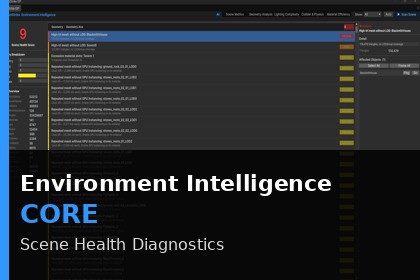
Environment Intelligence - Core
PointStrike Digital
$78.21
$86.90
10%OFF
(no ratings)
Jump AssetStore
Scan your Unity scene in seconds. Get a clear Scene Health Score and prioritized performance risks before problems escalate.Environment Intelligence – COREProfessional Scene Diagnostics for UnityStop guessing where performance problems are hiding.Environment Intelligence – CORE analyzes your active Unity scene and generates a clear, weighted Scene Health Score (0–100) along with categorized performance risks across geometry, lighting, physics, and materials.Built for developers working on large environments, open worlds, and production-scale scenes, CORE gives you instant visibility into what’s hurting performance, and where to fix it first.🚀 What CORE DoesGenerates a weighted Scene Health ScoreCategorizes issues by severity (Critical → Info)Detects high-impact performance risks instantlyHighlights offending objects directly in your sceneProvides structured, actionable diagnosticsScans in seconds with zero runtime overhead📊 Scene Health Scoring SystemCORE doesn’t just list problems, it prioritizes them.Each scan produces a weighted score based on:Geometry efficiencyLighting loadPhysics & collider complexityMaterial usage & scene structureThis gives you a repeatable, objective way to measure scene quality as your project grows.🔎 Designed for Real Production WorkPerfect for:Large open environmentsBiome-heavy scenesLighting-intensive levelsPhysics-dense gameplay spacesOngoing performance auditsWhether you're mid-production or preparing for optimization passes, CORE helps you identify risks early, before they become late-stage performance disasters.🧠 Not a Profiler ReplacementEnvironment Intelligence is not a runtime profiler.It’s a production diagnostic layer that analyzes structural performance risks inside the editor, helping you prevent issues before hitting Play.Unity Version2021.3 LTS or newerRender PipelinesBuilt-in RP, URP, HDRPPlatformUnity Editor tool. No runtime components.Editor AccessTools > PointStrike Digital > Environment IntelligenceCore ArchitectureEnvironment Intelligence is built on a modular analyzer framework.Core ComponentsAnalyzerEngineIAnalyzerModuleScoringEngineSceneScannerDashboard Editor UIThe core ships with five built-in analyzers and does not reference paid modules. Optional modules self-register using InitializeOnLoad without modifying core code.Assembly DefinitionsPointStrike.CorePointStrike.EditorBuilt-In Core AnalyzersScene MetricsTotal and active GameObject countsMeshRenderer and SkinnedMeshRenderer countsEstimated total triangle countUnique material countCollider breakdown by typeLODGroup countLight count split by baked and realtimeReflection probe countShadow caster countStatic object countScan time in millisecondsTriangle counts are calculated from sharedMesh.triangles.Length divided by 3 for consistent relative comparison.Geometry AnalysisHigh-triangle meshes without LODGroupsExcessive material slots per rendererDuplicate material detectionRepeated meshes without GPU instancingSeverity scales relative to configured thresholdsLighting ComplexityHigh realtime light countsShadow-enabled lightsHigh shadow resolution settingsLarge shadow-casting boundsApproximate overlapping realtime light zonesOverlap detection uses Renderer.bounds for fast approximation.Collider and PhysicsHigh-poly non-convex MeshCollidersConvex MeshCollider misuseMultiple colliders on a single objectRigidbody clustering detectionStatic scenery with expensive MeshCollidersDefault MeshCollider threshold is 500 triangles.Material EfficiencyLarge or uncompressed texturesTransparent materials on large meshesExpensive shader feature usageRender queue conflictsScene Health ScoreEvery scan produces a weighted score from 0 to 100 across five categories.Geometry Efficiency 30 percentLighting Load 25 percentCollider Cost 20 percentObject Density 15 percentMaterial Efficiency 10 percentScore ranges80 to 100 Good55 to 79 Acceptable30 to 54 Needs optimization0 to 29 High riskScores are weighted diagnostics. They are not profiler replacements.PerformanceRuns synchronously on the main threadTypical 50,000 object scene under 200 milliseconds150,000 plus object scenes approximately 1 to 3 secondsNo runtime overheadNo play mode requiredConfigurable ThresholdsDefined in AnalyzerContext.csHighTriThreshold default 50,000MaterialSlotThreshold default 4MeshColliderHighPolyThreshold default 500Changes apply on the next scan. No restart required.ExtensibilityCustom modules can implement IAnalyzerModule and register via InitializeOnLoad.AnalyzerContext provides pre-collected scene data to avoid redundant traversal and maintain scan performance.Known LimitationsScanning runs on the main threadTriangle counts are based on shared meshes onlyLight cost estimation is relative, not profiler-accurateCollider density uses a coarse spatial gridSnapshot comparison data is stored in memory onlyThese trade-offs are intentional to maintain fast scan times.AI tools were used during early planning stages to assist with product structuring, feature prioritization, and documentation refinement.All code, analyzer logic, scoring systems, architecture, and implementation were manually designed and written by the developer.No AI-generated code is included in this product.Environment Intelligence runs entirely locally inside the Unity Editor. It does not require internet access and does not collect or transmit any data.

