






Logify - Professional In-Game Console & Logger
IShix
$19.24
$27.49
30%OFF
(no ratings)
Jump AssetStore
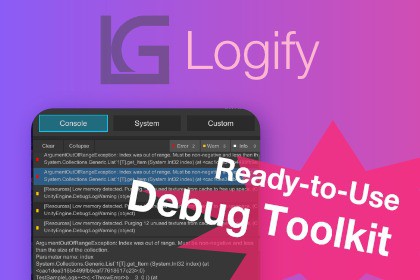
High-performance mobile debug toolkit. Real-time FPS/Memory, Editor-like console, attribute-driven UI, and Discord/Slack reporting. UPM-compliant, zero-setup, with secure self-hosted options.Special Launch Price! (Will increase as more features are added)📘 Documentation / 💬 SupportTurn subjective reports into objective data.Debugging on mobile devices is often a "black box" experience where identifying the root cause is difficult. Logify brings the power of the Unity Editor's debug tools directly to your device, adding professional-grade features to accelerate team collaboration.Built with a "Clean Project" philosophy, Logify installs directly into your Packages folder. This keeps your Assets directory dedicated to your game's content, preventing third-party clutter while maintaining full compatibility with Unity's package management workflow.Zero setup: No prefabs to drag-and-drop, and no complex initialization code required.■ Key Features📊 Performance Stats: Overlay for monitoring FPS and Memory usage in real-time.💻 In-Game Console: Familiar Editor-like log viewing and filtering on-device.⚙️ System - Detailed: Instant access to hardware and software specifications.🛠️ Custom Menus: Generate debug UIs automatically just by adding C# Attributes.📧 Feedback: Send screenshots and system logs directly to Discord or Slack.*Email integration and advanced security require optional server-side setup.■ Improving Your Workflow"No Magic" Design (Custom Menus): Uses explicit registration and unregistration to prevent memory leaks and unintended side effects, giving you full control.Actionable Bug Reports: Automatically packages detailed logs and environment metadata to convert "it feels laggy" into actionable data.Flexible Security: Supports direct Webhooks or an optional secure PHP script for those requiring self-hosted, high-security communication.[Core Features]📊 Performance Stats: Real-time FPS/Memory monitoring with threshold-based alerts.💻 In-Game Console: Stack trace inspection and log level filtering (Error/Warning/Info).⚙️ System- Detailedr: One-tap access to OS, Model, GPU, RAM, and Battery status.🛠️ Custom Menus: Add [LogiButton], [LogiRange], or [LogiToggle] to your scripts to generate UI instantly.📧 Feedback: Integrated forms to forward logs and system data to Discord, Slack, or email. *email requires server-side setup[Developer-Centric Design]UPM Compliant: Keeps your Assets directory pristine.Low Overhead: Optimized for mobile touch input with minimal resource footprint when hidden.Smart Stripping: Support for automated removal of debug resources in production builds.Self-Hosted Option: Includes a PHP script for secure feedback handling without third-party SaaS dependencies.[Specifications]UnityVersion: 2022.3 LTS or higher.Platforms: iOS 12 or higher, Android Lollipop 5.1 (API 22) or higherDependencies: None (Standalone).Additional NotesThis plugin has been tested and verified on iOS / Android devices.Platform Compatibility: While it should theoretically work in any environment where the Resources API is available, operation on platforms other than those listed above is not officially supported.Smart Stripping: Heavy debug resources—such as prefabs and UI assets—are automatically stripped from release builds using our proprietary mechanism. This ensures your final application remains lean and professional.【Links】📘 Documentation💬 Support1. AI Tools Used:Junie (IDE plugin for JetBrains Rider): Used for generating the security implementation and data encryption logic based on technical specifications.Gemini (Browser version): Used for translating documentation, marketing descriptions, and UI/hardcoded strings from Japanese to English.2. AI-Generated Content:Code: Security enforcement logic, including data validation and server-side communication protocols as outlined in our technical documentation.Text: Asset Store product descriptions, online/offline documentation, and in-code string constants/comments.3. Human Modifications and Verification:Code Review & Testing: Every line of AI-generated code has been manually reviewed and refactored by a human developer to ensure it adheres to project architecture and performance standards. Rigorous manual testing was performed to verify the security measures.Translation Editing: All AI-translated text (documentation and UI) was manually proofread and edited by a human to ensure technical accuracy, context appropriateness, and consistency with the software's functionality.

