






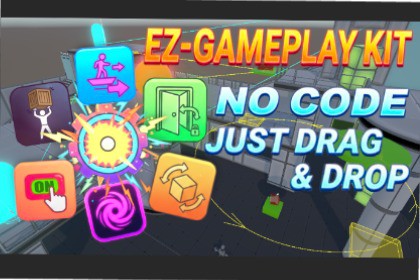
The ultimate Plug-and-Play toolkit for Moving platforms, Doors and Switching systems, Smart Followers, and more.All scripts work in Built-in / URP / HDRP, only the demo works in URP to display correct visuals.Tired of wrestling with complex math calculations for simple game mechanics ?EZ-Gameplay Kit is a collection of professional-grade C# scripts designed to handle the tedious tasks involved in object movement and interaction. Whether you're developing a 3D platformer, adventure game, or prototype, these tools will save you hours of coding time.Clean C# Code: Fully commented and easy to extend.PC and Mobile Friendly: Optimized for all uses.Gizmo Visuals: Custom editor handles and visuals for easy path and collision debugging.No Dependencies: Works with standard Unity components.[Scripts]Waypoint Follower: Create complex paths with linear or semi-circular curves. Includes Elevator, Loop, and Reverse modes, smooth curves, and custom rotations. And event boxes. Add Passenger: An script that manages the transmission of movement and rotation of mobile platforms to players and objects with a Rigidbody Component.Object Follower: Companion system that follows a defined target. Interaction possible to make it follow or not.Visual Feedback: Animation systems for managing the floating and scaling of an object or display panel.Universal Switch: Highly versatile switch that manages a multitude of interactions with a defined keypad key or trigger zone.Teleporter: Quickly create a teleportation network, add a fade animation, and activate events using boxes.Rotation Angle: Use angular rotation to define a limited rotational movement, such as a door, lever, or surveillance camera.Rotation Pro: Complete rotation system using multiple parameters for customized management.Pickup Object: Lift objects by making them levitate, use the mouse wheel to adjust the distance and click to rotate them. Add a sound when the object falls.Interactable: Gives the ability to interact with an object. Adjust the interaction distance and event triggering.Camera Interaction Manager: Adds a fully customizable cursor to the camera to interact with interactive objects.Please, Read the “Read Me & License” PDF file, which also contains some usage tips.[Demo & Prefabs]A demonstration scene is provided to visualize and help you understand the construction of example modules (such as an elevator, different ways of opening doors, platforms, and more). The Prefabs folder contains several of these modules that you can drag and drop directly into your scene.

