






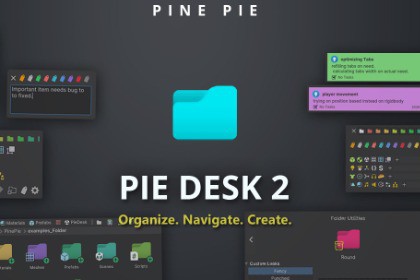
A complete productivity upgrade for Unity’s Project Browser.
Smart bookmarking, instant asset creation, tagging, folder styling, notes management, and dev log tracking — built for serious developers.🚀 Instant Workflow UpgradeNo complicated setup.Install, open the Project Browser, and immediately gain:Smart bookmark slotsOne-click asset creation shortcutsFolder navigation history buttonsScene selector popupExpandable search bar (so you don't loose default one)Notes & Dev Log managersEverything integrates directly into your existing workflow.📌 Smart Bookmark SystemPin important assets directly into shortcut bar.Instant asset pinning (drag n drop)Automatic tab generation (Optional)Automatic bookmark cleanup (optional)Keep your most-used assets one click away — always.⚡ One-Click Asset CreationCreate assets instantly from the Asset creator bar.Create ScriptableObjects, materials, prefabs, or any asset type in one clickNo need to right-click → Create → Navigate menusSaves time on repetitive project setup tasksDesigned for fast iteration workflows.🧭 Navigation & Scene ManagementSpeed up project movement with built-in navigation tools:Folder history back/forward buttonsRight-click to copy name onlySmart address bar:Click to copy full pathScene selector popup that dynamically lists all scenes in the projectQuick scene access without digging through foldersPerfect for large projects with many scenes. Advanced Tagging & Metadata SystemOrganize your project beyond folders.Assign color-coded ID tags to any asset (folders & non-folders)Add custom descriptions (shown as tooltips)Search tagged items using integrated Search ProviderBring structured organization to chaotic asset libraries.🎨 Enhanced Folder VisualizationTransform the Project Browser tree and folder view.Custom folder color overlaysCustom folder icons (user-defined textures supported)Automatic icon assignment based on dominant content typeZebra striping for better readability (tree view)Indent guide lines in two-column modeCustomizable icon and folder stylesVisually scan your project faster and reduce cognitive load.📝 Notes ManagerCreate structured development notes directly inside Unity.Colorful note organizationTask tracking for future game featuresProject planning support inside the editorNo need to switch to external tools for quick planning.📅 Dev Log ManagerTrack daily development progress inside your project.Maintain development historyStructured log entriesExport-ready reporting formatPerfect for:Solo developersTeam progress trackingClient reportingDev journaling Smart Automation FeaturesOptional automation systems include:Automatic bookmark creation for frequently used assetsAutomatic cleanup of outdated bookmark tabsLet the tool adapt to your workflow. Full Theme SupportAutomatically adapts to Unity Light & Dark themesDesigned for visual consistencyClean integration with native editor styling Safe & Performance-Friendly100% Editor-only toolNo runtime impact on buildsDesigned for large-scale project compatibilityLightweight editor extension built with UIToolkit.Editor extension for Unity Project Browser (no runtime components included).Supports both Unity Light and Dark editor themes.Metadata stored using ScriptableObjects, EditorPrefs, and Json.Custom Search Provider integration for tag-based asset queries.Tested on unity 6.3 LTS.Currently support for single project window instance.

