






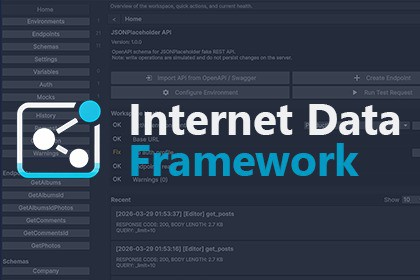
Build, test, and use REST APIs through a visual workspace with environments, auth profiles, request preview, mock responses, OpenAPI / Swagger import, history, caching, and code generation support.News | Web | Video | Docs | Support | Forum | DiscordInternet Data Framework is a tool for teams who want a cleaner and faster way to work with web APIs inside their projects.Instead of scattering API paths, headers, auth logic, and test code across many scripts, you configure everything in one visual workspace and then use the same setup in runtime code.For programmers, you can also optionally generate a facade layer for API usage, so the integration is easier to use correctly and much harder to misuse.Why Use ItWorking with APIs in Unity often becomes messy very quickly:URLs are hardcoded in scriptsauthorization logic is duplicatedswitching servers is inconvenienttesting requests requires temporary debug codebackend issues block frontend and UI workInternet Data Framework solves this by giving you a single place to define and manage your API layer.You can create endpoints visually, preview the final request, run test calls in the editor, inspect the response, save history, and switch environments without rewriting your code.You can also test requests and know in advance how your application will behave if a response arrives late, returns an error, or contains unexpected data.For programmers, the generated facade can provide a clearer API surface, so they work with predefined operations instead of manually assembling requests in the wrong way.When the backend is not ready, you can enable mock responses and keep development moving.Key FeaturesVisual API workspace inside Unity EditorCentralized endpoint managementEnvironment support for Dev, Stage, and ProductionAuth profiles for reusable authorization setupRequest preview before executionTest calls directly in the editorResponse inspection and request historyMock responses for offline developmentBuilt-in cache settings per endpointRetry and timeout transport policyOpenAPI / Swagger importRuntime execution through Workspace and WorkspaceClientTyped response deserializationOptional facade generation for safer API usage in codeCode generation pipeline supportCustom serializer and transport supportOpenAPI ImportIf your backend team already provides OpenAPI or Swagger documentation, you can import:endpoints;schemas;server URL information.This helps you skip repetitive manual setup and start testing much faster.Mock and Offline DevelopmentThe asset includes a mock response system that allows you to:replace live server responses with local data from input or file;simulate status codes;add delays;continue UI and gameplay integration when backend services are unavailable.This is especially useful during prototyping, polish, and team parallelization, because it lets you test requests and verify exactly how your application will react to delayed responses, errors, and unexpected server output.Good Fit ForUnity developers integrating REST APIsmobile and online gameslive ops toolsadmin panels or internal tools built in Unityteams that want visual API configurationprojects that need OpenAPI-based workflows

