






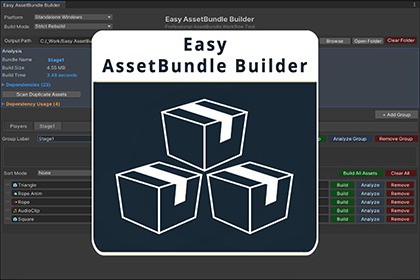
Visual AssetBundle editor for Unity with group management, dependency analysis, duplicate detection, and multi-platform builds. Replaces manual inspector tagging.Easy AssetBundle Builder is a powerful custom Editor tool for Unity that streamlines the process of creating, organizing, analyzing, and building AssetBundles. It replaces Unity’s default manual workflow with a visual, data-driven system designed for professional production pipelines.Unlike the default workflow, which relies on heavy manual configuration and inspector tags, this tool provides full visibility and control through a dedicated interface.KeyBenefitsVisual Group-Based Management: Organize assets in logical tabs.Per-Asset & Per-Group Control: Fine-tune build settings for individual items or entire groups.Built-in Versioning: Simple but powerful version tagging for assets and groups.Deep Dependency Analysis: Automatically map and inspect asset dependencies.Duplicate Detection: Instantly identify and resolve assets duplicated across multiple bundles.Comprehensive Metrics: Track build time, total size, and per-bundle sizes for every platform.Multi-Platform Targeting: Build for all target platforms from a single window.Multiple Compression Modes: Choose from various compression algorithms.Features in Detail1. Group-Based WorkflowManage assets in a flexible, tab-based system.Create multiple groups with separate tabs.Automatic tab wrapping for an uncluttered UI.Independent sorting options per group.Assign a unique version number to an entire group.2. Individual Asset ControlMaintain precise control over every asset in the list. Each asset supports:A custom, override label.A custom, override version number.Automatic detection of duplicate bundle names with an "Auto-Fix" option.The ability to be skipped or ignored during the build process.3. Versioning SystemImplement a clear versioning strategy (e.g., Player_v3).The version suffix can be toggled globally to be applied or ignored during the build.4. Sorting ModesQuickly reorganize your view with multiple sorting modes.Individual Asset Sorting:None (Manual Drag & Drop)Name (Ascending / Descending)TypeDate Added (Newest / Oldest First)Dependency View Sorting:Name (Ascending / Descending)Size (Largest / Smallest First)Type5. Build MetricsAfter every build, the tool provides instant, actionable data:Total build time (in seconds).Overall build size.A detailed breakdown of individual bundle sizes.Persistent per-platform size tracking for historical comparison.6. Dependency AnalyzerGain full visibility into what makes up your bundles.Utilizes AssetDatabase.GetDependencies(assetPath, true) to map all dependencies.Displays a clear list of every dependent asset and its file size."Click-to-Ping" functionality to instantly locate any asset in the Project view.7. Duplicate Detection SystemPrevent asset bloat by identifying dependencies shared across multiple groups.The system builds a dictionary: Dependency → Group → Asset List.Dependencies used in multiple groups are flagged with a color-coded severity scale:Yellow: Used in 2 groups.Orange: Used in 3+ groups.Red: Indicates a high-impact, heavy duplication.8. Output Folder ManagementStreamlined management of your build destination.Automatically create the target output folder if it doesn't exist.Safely clear the output folder before a new build.Automatically refresh the AssetDatabase after a build.Auto-select the newly built bundle in the Project view for quick access.9. Drag & Drop SystemA fast and intuitive way to populate your groups.Supports dragging and dropping single assets.Supports dragging and dropping entire folders.Performs recursive asset discovery on dropped folders.Automatic filtering to ensure only valid asset types are added.10. Undo SupportWork with confidence, knowing every action is reversible.Uses Undo.RecordObject(...).Fully integrated with Unity's native Undo system (Ctrl+Z / Cmd+Z).Built WithUnity EditorWindowUnityEditorInternal.ReorderableListBuildPipeline APIAssetDatabase APIUnity Version CompatibilityUnity 2019.4 or higherSupports all platforms supported by Unity's AssetBundle systemPlatform SupportWindowsmacOSLinuxiOSAndroidWebGLPlayStationXboxNintendo SwitchtvOSFile DetailsMain Script File: EasyAssetBundleBuilder.csData Container: EasyAssetBundleBuilderData.asset (ScriptableObject)Supporting Scripts: 8 editor scriptsTotal File Size: Approximately 250 KBDependenciesNo external DLLs requiredPure C# implementationUses only built-in Unity APIsKey ClassesEasyAssetBundleBuilderWindowMain EditorWindow implementationHandles UI rendering and user interactionsAssetBundleGroupContainer class for asset groupsStores group label, version, and asset listAssetEntryIndividual asset data containerStores asset reference, label, version, and timestampEasyAssetBundleBuilderDataScriptableObject for data persistenceSaves all groups and settingsCore APIs UsedBuildPipeline.BuildAssetBundles()Primary build method for AssetBundlesSupports all compression options and build targetsAssetDatabase.GetDependencies()Recursive dependency trackingUsed for dependency analysis and duplicate detectionEditorUtility.DisplayDialog()User confirmation dialogsWarning and error messagingUndo.RecordObject()Full Unity Undo system integrationSupports Ctrl+Z / Cmd+Z for all actionsFileInfo.LengthReal disk size calculation for dependenciesAccurate file size reportingData StorageProject-based configuration saved inside Assets folderVersion control friendlyTeam collaboration readyNo external files or databases requiredBuild Options SupportedCompression ModesUncompressedLZ4LZ4HCLZMABuild OptionsForce RebuildChunk Based CompressionDisable Write Type TreeIgnore Type Tree ChangesAppend Hash to AssetBundle NameStrict ModeDry Run BuildPerformanceBatch processing for large asset collectionsOptimized dependency scanningMinimal Editor performance impactFast build times even with hundreds of assetsScripting Define SymbolsNo custom scripting defines requiredWorks out of the boxSource CodeFull C# source code includedWell-commented for easy customizationModular architecture for extending functionality

