






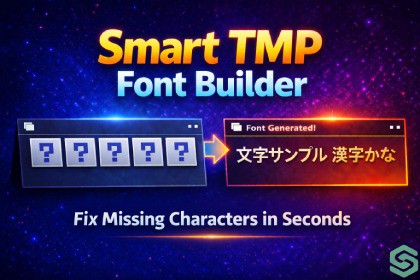
Scan your project, collect every used character, and update your TMP Font Assets in one click — with Unicode filters, presets, and CI/CD batch mode support.Smart TMP Font BuilderSmart TMP Font Builder is a powerful and easy-to-use Unity tool that automatically scans your project and updates your TextMeshPro Font Assets with all required characters.No more missing glyphs, broken text, or manual character tracking — everything is handled for you in one streamlined workflow.It collects characters from scenes, prefabs, JSON, CSV, and live TMP components, then applies them directly to your fonts or generates new TMP Font Assets from your source fonts.✨ Key FeaturesOne-Click Scan & Apply — instantly detect and update all characters across your projectFull Project Scan — supports Scenes, Prefabs, CSV, JSON, and TMP componentsAuto Font Generation — create TMP Font Assets from .ttf / .otf in secondsUnicode Range Filters — include only the languages you needMissing Character Report — identify unsupported glyphs before buildPreset System — save configurations for different languages or buildsBatch Mode Support — run font updates via command line (CI/CD ready)Dynamic TMP Workflow — fully compatible with TextMeshPro system🎮 Use CasesLocalization-heavy games (multi-language support)Dialogue systems and narrative contentUI systems with dynamic textLive content from JSON / CSV filesProduction pipelines with automated builds⚙️ Why Choose Smart TMP Font Builder?Smart TMP Font Builder removes the most frustrating part of working with TextMeshPro — missing characters.Instead of manually updating fonts and guessing what’s missing, the tool ensures your fonts are always complete, clean, and optimized.Built entirely on top of Unity’s native TextMeshPro system, it integrates seamlessly into any project without extra setup.🚀 Quick WorkflowAssign your fontsSelect scan sourcesClick Scan ProjectClick Apply to FontsProject-wide character scanner — scans scenes (.unity), prefabs, CSV, JSON, and ScriptableObjects for text content; also reads live TMP_Text components from open or all project scenesOne-click Apply — pushes the collected character set into any number of TMP Font Assets simultaneously; converts Static assets to Dynamic automaticallyPlain Font → TMP Asset creator — generates a new TMP_FontAsset from any .ttf / .otf font with a Save dialog, then applies characters in the same stepUnicode range filter — 50+ named Unicode blocks (Latin, Cyrillic, Georgian, Arabic, CJK, and more) to keep atlases clean and minimalMissing Characters Report — per-font coverage percentage and full list of missing glyphs with Unicode code pointsPresets system — save, load, and delete named configurations; stored in ProjectSettings/ and version-control friendlyExport / Import — character sets exportable as .txt or .json; importable and merged additivelyCI/CD Batch Mode — headless -executeMethod entry point with arguments for font paths, character file, output report, and strict mode (non-zero exit on missing glyphs)Addressables support — optional notice shown in Settings when com.unity.addressables is not yet configured (scanning integration planned)Dark-themed editor UI — three-column layout with live font preview, character grid, scan log, and adjustable UI scaleNo runtime components — editor-only tool, zero impact on build sizeSome parts of the marketing materials were created with the help of AI tools.The thumbnail image was initially generated using an AI tool and later customized.The store description draft was AI-assisted and then fully rewritten by the publisher.

