






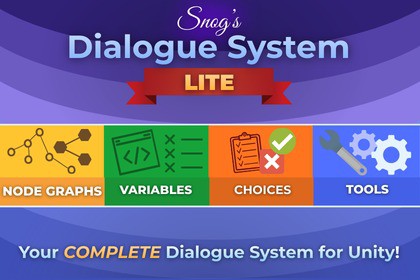
Create branching dialogue in minutes. Visual nodes, choices with conditions, variables, and a ready‑to‑use UI with typewriter effectSnog Dialogue System • Lite is a clean, beginner‑friendly dialogue tool for Unity that gets you from “new scene” to“talking in game” in minutes. Build conversations visually with XNode, present them through a simple TMP‑based UI, and control flow using conditions and variables—without writing any code.What you can do with LiteAuthor conversations as graphs: Start → Line → Choice → Set Variable → End.Gate choices with conditions: Show, hide, or disable options based on your variables.Store runtime state: Use Global and Graph‑Local variables to branch and react.Ship a ready UI: Minimal, readable SimpleDialogueUI with Typewriter (skip‑to‑end on click).Stay safe while iterating: Helpful editor warnings and loop‑safety during playback.Designed for clarityEvery node has a focused inspector (UI Toolkit) with small touches that speed you up—typewriter time estimates on Line, option re‑ordering and summaries on Choice, and known‑key suggestions on Set Variable pulled from your GlobalVariablesAsset.Great as a free starter, with a path to ProLite intentionally focuses on the essentials so you can start shipping. If you need more later, the Pro upgrade adds advanced capabilities (e.g., save/load, localization, and debug tools).Core featuresNode types: Start, Line (speaker, tags, typewriter speed), Choice (locked/hidden logic), Set Variable, End.Variables: Global + Graph‑Local stores with int/float/bool/string types.Conditions: Exists/NotExists/Equals/NotEquals/>/>=/<= with per‑choice gating.Runtime: DialogueRunner + DialogueRuntime + DialogueContext orchestration.UI: SimpleDialogueUI (TMP), Continue button with skip‑to‑end behavior, choices list, disabled state visuals.Typewriter: Natural pacing with punctuation/newline multipliers, unscaled‑time option, programmatic skip.Editor toolingUI Toolkit inspectors with warnings, foldouts, and live estimates.Choice editor: add/remove/reorder options, conditions foldout, auto dynamic output ports.Set Variable helper: known‑key popup sourced from GlobalVariablesAsset.Global Variables asset: default values for runtime, with custom inspector.What’s includedRuntime & editor C# sources, SimpleDialogueUI components, and a Global Variables asset type.(Optional but recommended for your package) A tiny sample scene showing Start → Line → Choice → End.DependenciesTextMeshPro (Unity package).XNode for graph infrastructure (this package’s custom editors are built on top of it).NotesWorks in projects using Built‑in/URP/HDRP (UI is TMP‑based).I used AI for HELP in marketing and analisis of the code.

