






The easiest way to connect your game/project to Twitch!
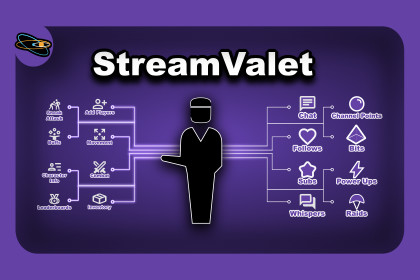
Use Follows, Subscriptions, Chat messages, whispers and Redeems in your game. No server, backend or additional packages needed!StreamValet is a simple and lightweight asset for Unity that integrates Twitch EventSub directly via WebSockets.It receives real-time Twitch events using Twitch eventsub. The tokens are obtained via the OAuth Device Flow (The player\streamer would need to authorize via a browser when first playing) and will persist authentication data between runs.Supported events:* Incoming Channel chat messages* Incoming Whispers* New Followers* New Subscribers* Channel Point Redeems* Bit Redeems* Power Up Redeems* Custom Power Up Redeems* Incoming Raid* Get list of current Followers* Get list of current SubscribersFEATURES* OAuth Device Flow authentication* Persistent access token (stored using PlayerPrefs)* EventSub WebSocket connection* Automatic WebSocket reconnect (handles Twitch session_reconnect and network interruptions)* Customizable authentication entry point* Incoming chat messages (Through EventSub, not IRC)* Incoming Whisper support* New Follow notifications* New Subscription notifications* Channel Point Redeem * Bit Redeem notifications* Power Up Redeem notifications* Custom Power Up Redeem notifications* Incoming Raid notifications* Get list of current Followers* Get list of current SubscribersSETUP1. Import the asset into your project. It should include 2 scripts and a ReadMe text file. An example scene is also provided, but not required.2. Add ConnectionTW.cs and EventsTW.cs to a new GameObject or an existing one like a game manager.3. In the Inspector, select the GameObject from step 2 and enter your public Twitch Client ID in the clientId field. For steps on getting a public Twitch Client ID, please see instructions below.4. Call the StartTwitchConnection() method in EventsTW.cs to start the connection. By default, this happens on Start, but can be modified to be called on a button click or any other time.Getting Twitch Client ID1. Open https://dev.twitch.tv/ and create a free account or log in to an existing one.2. Open the applications page (https://dev.twitch.tv/console/apps) and click "Register your application"3. Fill the form:Name - The game\project name.OAuth Redirect URLs - https://localhost:8080/Category - Select the relevant category (for example "Game Integration").Client Type - Public.4. Click "Create".5. You can now see the newly created entry in the Applications page and click "Manage" to see and copy the Client ID.REQUIRED OAUTH SCOPESTo use all supported features, the streamer is requested to authorize the following scopes:user:read:chatuser:read:whispersmoderator:read:followerschannel:read:subscriptionschannel:read:redemptions bits:readchannel:read:adsThe authenticated Twitch account must be the broadcaster for all channel events (chat, follows, subscriptions) to function.PLATFORM SUPPORTSupported:Windows (Standalone)macOS (Standalone)Linux (Standalone)WebGL:WebSocket and OAuth browser behavior may not function correctly in WebGL builds due to browser security restrictions. WebGL is not officially supported.Mobile:Not officially tested. Behavior may vary depending on platform browser handling and WebSocket support.LIMITATIONS* Twitch will only trigger the resubscribe event if the subscriber shares it in chat.* Designed for a single broadcaster per instance.* Does not use IRC chat, as it doesn’t support whispers or channel events.* Requires a public client ID from the Twitch developer console.* Requires an active internet connection.* Uses Twitch public APIs but is not affiliated with Twitch.RECOMMENDED USAGE* Place ConnectionTW.cs and EventsTW.cs on a central manager GameObject.* Handle events inside EventsTW.cs.* Do not modify ConnectionTW.cs unless extending core behavior.* Each connection creates fresh EventSub subscriptions. Avoid manually duplicating subscriptions outside the provided system.* Avoid calling GetCurrentFollowers and GetCurrentSubscribers from Update (every frame). It is better to call them periodically, for example - when starting the game or reloading the level.

